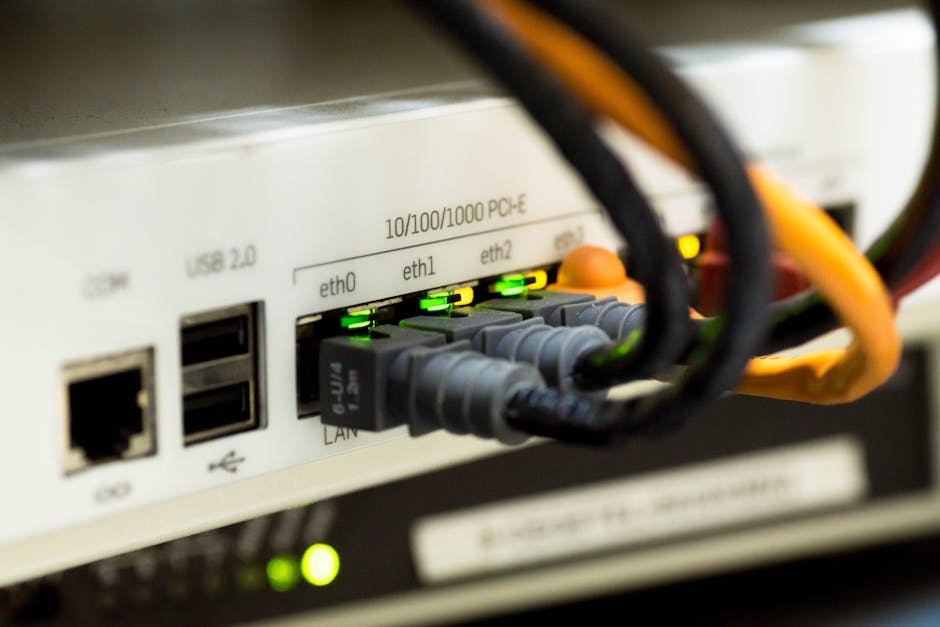
Windows PC Won't Connect to Wi-Fi in Spain? Fix It
📅 24 July 2026⏱ 4 min read🔧 PC Repair
Why Won't My Windows PC Connect to My Neighbour's Wi-Fi?
You've arrived in Spain for a house-sit, you've got the Wi-Fi password written on a Post-it, and your Windows laptop flatly refuses to connect. Maybe it says "Can't connect to this network", maybe it just spins forever, or maybe the network doesn't even show up. Whatever the error, you're not alone — this is one of the most common problems we see from expats and visitors on the Costa Blanca.
The good news: in the vast majority of cases, the fix takes less than ten minutes and requires no tools whatsoever. Work through the steps below in order and you'll almost certainly be online before your coffee goes cold.
Step 1 — Forget the Network and Start Fresh
Windows sometimes stores a corrupted saved connection. Getting rid of it is the single quickest fix.
Click the Wi-Fi icon in the bottom-right taskbar.
Right-click the network name and choose Forget.
Wait ten seconds, then click the network and enter the password again.
This resolves the problem more often than you'd expect. If it doesn't, carry on.
Step 2 — Restart Everything (Yes, Really)
It sounds obvious, but a full restart of both your laptop and the router fixes a surprising number of connection failures.
Your laptop: Start → Power → Restart (not just sleep or shut down and reopen).
The router: Unplug it from the wall, wait 30 seconds, plug it back in. Wait a full minute for it to reconnect to the internet before trying your laptop again.
Spanish ISPs — Movistar, Orange, Vodafone, MásMóvil — all use standard routers, so there's nothing unusual about the hardware.
Step 3 — Check the Password (and the Keyboard Layout)
This is embarrassingly common: the password is correct, but Windows is using the wrong keyboard layout when you type it. If your laptop keyboard is set to UK or US English, characters like @, -, or certain symbols may appear in a completely different place to what's printed on the key.
Try typing the password into Notepad first so you can see exactly what comes out.
Check the language bar in the bottom-right corner — make sure it matches your keyboard's physical layout.
Wi-Fi passwords on Spanish routers often look like: XFKM2849qrzp — all one case, no spaces.
Step 4 — Run the Windows Network Troubleshooter
Windows has a built-in tool that catches driver glitches and setting mismatches. It's worth running even if it sounds too simple.
Right-click the Wi-Fi icon → Troubleshoot problems.
Follow the prompts. If it finds something, let it fix it automatically.
If it says "Wi-Fi adapter driver is missing or outdated", note that down — that's Step 6 territory.
Step 5 — Change the Network Security Type Manually
Older Spanish routers sometimes broadcast using security settings that newer versions of Windows are fussy about. If nothing else has worked:
Press Windows key + R, type ncpa.cpl, press Enter.
Right-click your Wi-Fi adapter → Properties.
Click Configure, then the Advanced tab.
Look for 802.11d or Band settings and try switching between 2.4 GHz and 5 GHz.
Most Spanish home routers broadcast on both bands. The 2.4 GHz band travels further through walls and is usually more compatible with older laptops.
Step 6 — Update or Reinstall the Wi-Fi Driver
If you've been through all the above and still can't connect, the Wi-Fi adapter driver on your laptop may be out of date or corrupted. This is a slightly more technical fix, but it's still doable:
Right-click the Start button → Device Manager.
Expand Network Adapters and find your Wi-Fi adapter (usually named after Intel, Realtek, or Qualcomm).
Right-click it → Update driver → Search automatically.
If Windows says it's up to date but you're still having problems, try Uninstall device, then restart — Windows will reinstall the driver fresh on reboot.
If you need to download a driver manually, you'll need another internet connection (a mobile hotspot works perfectly) — or pop into us at Campoverde Repair and we'll sort it in the workshop while you wait.
When to Ask for Help
If you've worked through every step above and your Windows PC still won't connect, the problem is likely one of these:
A faulty or damaged Wi-Fi adapter (hardware, not software).
A router issue on your neighbour's side — worth asking them to call their ISP.
A Windows installation problem that needs a deeper look.
These are situations where a quick visit to a local repair shop makes sense. We're based in Pinar de Campoverde, Pilar de la Horadada — a short drive from most of the southern Costa Blanca. And if you can't get to us, we also offer remote support sessions.
Why does my Windows laptop say 'Can't connect to this network' in Spain?
This error almost always means Windows has stored a broken saved connection, or the password was entered incorrectly (sometimes due to a keyboard layout mismatch). Forget the network, restart both devices, and re-enter the password carefully. If the error persists, updating the Wi-Fi driver usually resolves it.
Do Spanish routers use a different Wi-Fi standard to UK ones?
No — Spanish routers use exactly the same Wi-Fi standards (802.11 a/b/g/n/ac/ax) as UK routers. The hardware is compatible. The most common differences are the language of the router admin page, and the fact that Spanish ISPs sometimes use different default frequency bands or security settings.
Can I use my phone as a hotspot if the house Wi-Fi won't work?
Yes, absolutely — and it's a great temporary fix. Enable the personal hotspot on your phone and connect your laptop to that while you troubleshoot. Bear in mind your mobile data allowance if you're doing anything heavy.
My laptop connects fine at home but not at my neighbour's house in Spain — why?
Most likely the router is broadcasting on a frequency band or security standard your laptop's Wi-Fi adapter is struggling with. Try switching to the 2.4 GHz network if both bands are available, or check the Advanced settings in Device Manager as described in Step 5 above.
¿Por qué mi PC con Windows no se conecta al Wi-Fi de mi vecino?
Has llegado a España para hacer un house-sit, tienes la contraseña del Wi-Fi apuntada en un papel y tu portátil Windows se niega a conectarse. Puede que aparezca el mensaje «No se puede conectar a esta red», que el proceso no avance, o que la red directamente no aparezca en la lista. Sea cual sea el error, no eres el primero — es uno de los problemas más frecuentes que nos llegan de residentes y visitantes de la Costa Blanca.
La buena noticia: en la gran mayoría de los casos, la solución lleva menos de diez minutos y no requiere ninguna herramienta. Sigue los pasos de abajo en orden y, casi seguro, estarás en línea antes de que se enfríe el café.
Paso 1 — Elimina la red guardada y empieza de cero
Windows a veces almacena una conexión guardada corrupta. Borrarla es el arreglo más rápido que existe.
Haz clic en el icono de Wi-Fi en la barra de tareas (esquina inferior derecha).
Haz clic con el botón derecho sobre el nombre de la red y elige Olvidar.
Espera diez segundos, selecciona la red de nuevo e introduce la contraseña.
Esto resuelve el problema con más frecuencia de lo que cabría esperar. Si no funciona, continúa con el siguiente paso.
Paso 2 — Reinicia todo (sí, todo)
Parece obvio, pero reiniciar tanto el portátil como el router soluciona un número sorprendente de fallos de conexión.
Tu portátil: Inicio → Encendido → Reiniciar (no basta con cerrar la tapa o apagarlo y volver a abrirlo).
El router: Desenchúfalo de la corriente, espera 30 segundos y vuélvelo a enchufar. Deja pasar un minuto completo para que se reconecte a internet antes de intentarlo con el portátil.
Los operadores españoles — Movistar, Orange, Vodafone, MásMóvil — usan routers estándar, no hay nada especial en el hardware que deba preocuparte.
Paso 3 — Comprueba la contraseña (y la distribución del teclado)
Esto ocurre más a menudo de lo que parece: la contraseña es correcta, pero Windows está usando la distribución de teclado equivocada al escribirla. Si tu portátil está configurado en inglés británico o americano, caracteres como @, - o ciertos símbolos pueden aparecer en una posición completamente diferente a la que está impresa en la tecla.
Prueba a escribir la contraseña primero en el Bloc de notas para ver exactamente qué teclas produces.
Revisa el indicador de idioma en la esquina inferior derecha y asegúrate de que coincide con la distribución física de tu teclado.
Las contraseñas de los routers españoles suelen tener este aspecto: XFKM2849qrzp — sin espacios, solo letras y números.
Paso 4 — Ejecuta el solucionador de problemas de red de Windows
Windows incluye una herramienta integrada que detecta fallos de driver y configuraciones incorrectas. Vale la pena usarla aunque parezca demasiado sencilla.
Haz clic con el botón derecho en el icono de Wi-Fi → Solucionar problemas.
Sigue las instrucciones en pantalla. Si encuentra algo, deja que lo corrija automáticamente.
Si indica que «falta el driver del adaptador Wi-Fi o está desactualizado», apúntalo — eso lo abordamos en el Paso 6.
Paso 5 — Cambia el tipo de seguridad de red manualmente
Algunos routers españoles más antiguos emiten con configuraciones de seguridad que las versiones más recientes de Windows gestionan con dificultad. Si ninguno de los pasos anteriores ha funcionado:
Pulsa Tecla Windows + R, escribe ncpa.cpl y presiona Intro.
Haz clic con el botón derecho en tu adaptador Wi-Fi → Propiedades.
Haz clic en Configurar y luego en la pestaña Opciones avanzadas.
Busca los ajustes de 802.11d o de banda y prueba a cambiar entre 2,4 GHz y 5 GHz.
La mayoría de los routers domésticos españoles emiten en ambas bandas. La banda de 2,4 GHz tiene mayor alcance a través de las paredes y suele ser más compatible con portátiles antiguos.
Paso 6 — Actualiza o reinstala el driver de Wi-Fi
Si has seguido todos los pasos anteriores y sigues sin conectarte, es posible que el driver del adaptador Wi-Fi de tu portátil esté desactualizado o dañado. Es un arreglo algo más técnico, pero perfectamente asequible:
Haz clic con el botón derecho en el botón Inicio → Administrador de dispositivos.
Despliega Adaptadores de red y localiza tu adaptador Wi-Fi (suele llevar el nombre de Intel, Realtek o Qualcomm).
Haz clic con el botón derecho → Actualizar driver → Buscar automáticamente.
Si Windows dice que ya está actualizado pero el problema persiste, prueba Desinstalar dispositivo y reinicia — Windows reinstalará el driver desde cero al arrancar.
Si necesitas descargar el driver manualmente, necesitarás otra conexión a internet (el punto de acceso de tu móvil funciona perfectamente) — o acércate a Campoverde Repair y lo resolvemos en el taller mientras esperas.
Cuándo pedir ayuda
Si has seguido todos los pasos y tu PC con Windows sigue sin conectarse, lo más probable es que el problema sea uno de estos:
Un adaptador Wi-Fi defectuoso o dañado (problema de hardware, no de software).
Un problema en el router del vecino — vale la pena pedirle que llame a su operador.
Un fallo en la instalación de Windows que requiere un diagnóstico más profundo.
En estos casos tiene sentido acudir a un técnico local. Estamos en Pinar de Campoverde, Pilar de la Horadada — a pocos minutos en coche desde cualquier punto del sur de la Costa Blanca. Si no puedes desplazarte, también ofrecemos sesiones de soporte remoto.
¿Por qué mi portátil Windows muestra el mensaje «No se puede conectar a esta red» en España?
Este error casi siempre significa que Windows tiene guardada una conexión dañada, o que la contraseña se introdujo de forma incorrecta (a veces por un problema con la distribución del teclado). Olvida la red, reinicia ambos dispositivos y vuelve a introducir la contraseña con cuidado. Si el error persiste, actualizar el driver Wi-Fi suele resolverlo.
¿Los routers españoles usan un estándar Wi-Fi diferente al de los del Reino Unido?
No — los routers españoles usan exactamente los mismos estándares Wi-Fi (802.11 a/b/g/n/ac/ax) que los del Reino Unido. El hardware es compatible. Las diferencias más habituales son el idioma del panel de administración del router y que algunos operadores españoles configuran por defecto bandas de frecuencia o parámetros de seguridad distintos.
¿Puedo usar el móvil como punto de acceso si el Wi-Fi de la casa no funciona?
Sí, es una solución temporal perfecta. Activa el punto de acceso personal en tu teléfono y conecta el portátil a él mientras solucionas el problema. Ten en cuenta tu tarifa de datos móviles si vas a hacer algo que consuma mucho.
Mi portátil se conecta bien en casa pero no en la casa de mi vecino en España. ¿Por qué?
Lo más probable es que el router esté emitiendo en una banda de frecuencia o con una configuración de seguridad con la que el adaptador Wi-Fi de tu portátil tiene dificultades. Prueba a conectarte a la red de 2,4 GHz si hay ambas disponibles, o revisa los ajustes avanzados en el Administrador de dispositivos tal como se describe en el Paso 5.
Computer trouble on the Costa Blanca?
30+ years of repair experience — on-site within 30 km and remote worldwide. Tell me what's wrong and I'll sort it.