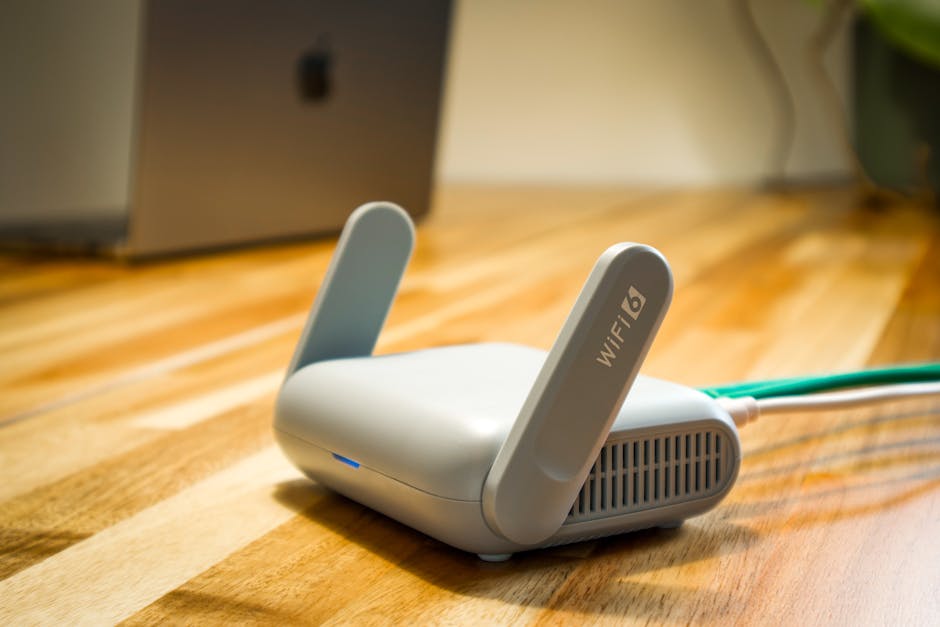
Sound familiar? You're mid-call, mid-film, mid-anything — and the Wi-Fi dies.
It's one of those problems that feels small until it happens three times a day. The good news: in the vast majority of cases, a dropping Wi-Fi connection has nothing to do with your ISP's network. It's something in or around your home, and it's fixable. Here's how to work through it methodically.
Step 1 — Rule Out the Router First
Before blaming the signal, check the basics. Is the problem affecting every device in the house, or just one? If only your laptop drops while the phone stays connected, the problem is with that device, not the router. If everything drops at once, carry on reading.
Try a simple restart: unplug your router (and any separate modem) from the wall, wait a full 60 seconds, then plug back in. Not 5 seconds — 60. This clears the router's memory and forces it to renegotiate a fresh connection with your ISP. It fixes the problem more often than you'd think.
Step 2 — Where You Put Your Router Matters More Than You Think
Wi-Fi is radio. Walls, floors, and certain materials kill it. The most common culprits on the Costa Blanca are thick concrete and brick construction — older Spanish properties in particular can be brutal for Wi-Fi range. Here's what helps:
Central location: Place the router as close to the middle of your home as possible, not tucked in a corner or inside a cupboard.
Off the floor: Routers broadcast signal outward and slightly downward. A shelf or desk height is much better than the floor.
Away from interference: Keep the router away from microwaves, cordless phones, and baby monitors — they all compete on similar radio frequencies.
Away from large metal objects: Filing cabinets, fridges, and metal shelving all reflect and absorb Wi-Fi signal.
Step 3 — Check Your Wi-Fi Channel
If you live in an apartment block or a close-packed urbanisation — as many of us on the Costa Blanca do — your router may be fighting with a dozen neighbours' routers all broadcasting on the same channel. Think of it like everyone in the street shouting on the same radio frequency.
Log into your router's settings (the address is usually printed on the bottom of the router — often 192.168.1.1 or 192.168.0.1) and look for the Wi-Fi channel setting. Setting it to Auto lets the router pick the least congested channel. On a 2.4 GHz network, channels 1, 6, or 11 are the ones to try manually if Auto isn't helping.
If your router supports 5 GHz, use it for devices close to the router. It's faster, less congested, but shorter range. Use 2.4 GHz for devices further away.
Step 4 — The Device Itself May Be the Problem
If only one computer keeps losing Wi-Fi, the issue is almost certainly with that machine. A few things to try:
Update your network drivers (Windows: Device Manager → Network Adapters → right-click your Wi-Fi adapter → Update driver). Outdated drivers are a genuinely common cause of intermittent drops.
Forget and rejoin the network. Sometimes the saved password or security settings get corrupted. Forget the network and connect fresh.
Check for overheating. A laptop that's running hot will throttle everything, including the Wi-Fi card. Clean the vents — or have them cleaned. See our post on warning signs your laptop needs attention.
Step 5 — When Your Home Is Just Too Big (or Too Solid)
Some homes genuinely need more than a single router. If you've tried everything above and still have dead zones, consider a mesh Wi-Fi system (brands like TP-Link Deco, Eero, or Netgear Orbi). These use two or three small units placed around the home that work as one seamless network. They're not expensive and they make a remarkable difference in larger or thicker-walled properties.
A cheaper alternative for one problem room is a Wi-Fi extender (also called a repeater). Be aware these can sometimes cause their own connection hiccups if positioned too far from the main router. Halfway between the router and the dead zone is the sweet spot.
When to Actually Call Your ISP
If you've restarted everything, moved the router, checked channels, and the connection still drops at the same time every day — that is likely an ISP issue. Note the exact times it drops and how long for. When you call, give them those specifics. It moves you from "the internet's not working" to a fault report they can actually investigate.
When to Bring It to Us
If a specific computer keeps losing Wi-Fi even after a driver update and a network reset, the Wi-Fi card may be failing or the antenna connection inside the laptop may have come loose. That's a straightforward repair. Bring it in to Campoverde Repair in Pinar de Campoverde and we'll have a look — no jargon, no fuss.
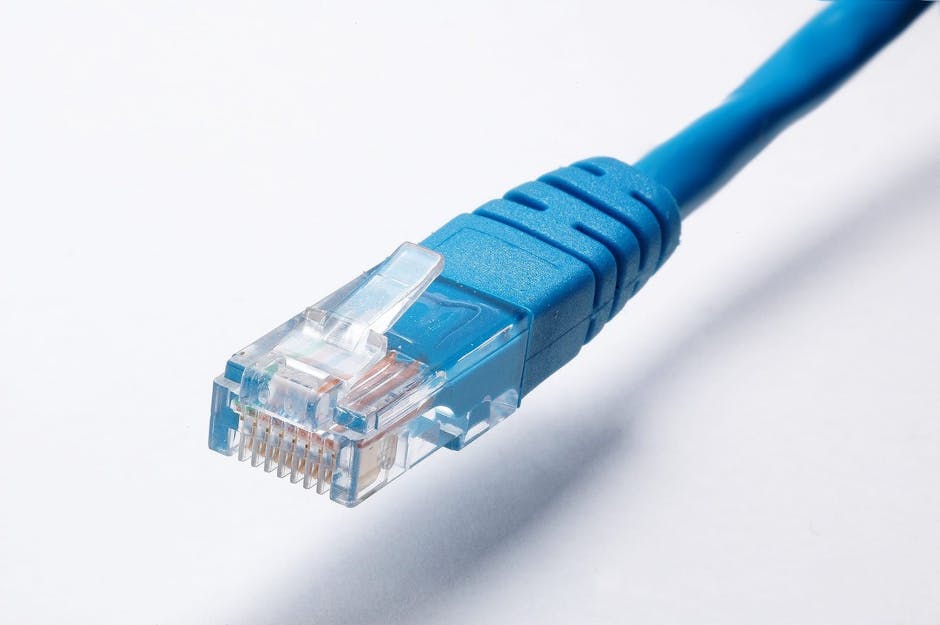
And if your whole setup needs rethinking — new router placement, a mesh system, or even a wired Ethernet run to your office — we can advise and help install. We've sorted this kind of thing for residents all over Pilar de la Horadada and the Costa Blanca for over 30 years.
FAQ
Why does my Wi-Fi keep dropping every few hours?
The most common causes are an overheating or overloaded router, channel congestion from neighbouring networks, or an outdated device driver. Start with a 60-second router restart, then check the channel settings. If it only affects one device, update its network driver first.
Will my ISP fix a dropping Wi-Fi connection?
Only if the fault is on their network or with the line into your home. Most home Wi-Fi drops are caused by factors inside the house — router position, channel congestion, device issues — which your ISP won't touch. Rule those out first before calling.
Is a Wi-Fi extender worth buying?
For a single dead zone, yes — but position it halfway between your router and the problem area, not in the dead zone itself. For whole-home coverage issues in larger or thick-walled properties, a mesh Wi-Fi system gives much more reliable results.
My laptop loses Wi-Fi but my phone doesn't — what's wrong?
This points to the laptop itself, not the router. Try updating the Wi-Fi driver in Device Manager, forgetting and rejoining the network, and checking the laptop isn't overheating. If the problem persists, the internal Wi-Fi card or its antenna connection may need attention.
¿Te suena? Estás en una videollamada, viendo una serie, o trabajando — y el Wi-Fi se muere.
Es uno de esos problemas que parece menor hasta que te pasa tres veces al día. La buena noticia es que, en la gran mayoría de los casos, un Wi-Fi que se cae no tiene nada que ver con la red de tu operadora. El origen está en tu casa o en tus dispositivos, y tiene solución. Aquí te explicamos cómo abordarlo paso a paso.
Paso 1 — Empieza por el router
Antes de culpar a la señal, comprueba lo más básico. ¿El problema afecta a todos los dispositivos de casa, o sólo a uno? Si el portátil pierde la conexión pero el móvil sigue conectado, el problema está en ese dispositivo concreto, no en el router. Si todo se cae a la vez, sigue leyendo.
Prueba a reiniciar correctamente: desenchufa el router (y el módem si son aparatos separados) de la corriente, espera 60 segundos completos — no cinco — y vuelve a enchufarlo. Esto limpia la memoria del router y fuerza una nueva negociación de conexión con tu operadora. Soluciona el problema con más frecuencia de la que imaginas.
Paso 2 — La ubicación del router importa mucho más de lo que crees
El Wi-Fi es señal de radio. Las paredes, los suelos y ciertos materiales la matan. En la Costa Blanca, las construcciones de hormigón y ladrillo macizo — muy habituales en viviendas españolas más antiguas — son especialmente dañinas para la cobertura. Esto es lo que ayuda:
Posición central: Coloca el router lo más cerca posible del centro de tu vivienda, no escondido en un rincón ni dentro de un armario.
Elevado del suelo: Los routers emiten la señal hacia los lados y ligeramente hacia abajo. Una estantería o una mesa es mucho mejor que el suelo.
Lejos de interferencias: Aleja el router del microondas, los teléfonos inalámbricos y los intercomunicadores de bebé — todos compiten en frecuencias de radio similares.
Lejos de objetos metálicos grandes: Archivadores, neveras y estanterías de metal absorben y reflejan la señal Wi-Fi.
Paso 3 — Revisa el canal Wi-Fi
Si vives en un bloque de apartamentos o en una urbanización con viviendas próximas — como ocurre en muchas zonas de la Costa Blanca — tu router puede estar compitiendo con una docena de routers vecinos que emiten en el mismo canal. Imagínalo como si todo el vecindario gritara a la vez en la misma frecuencia de radio.
Entra en la configuración de tu router (la dirección suele estar impresa en la parte inferior del aparato — normalmente 192.168.1.1 o 192.168.0.1) y busca el ajuste de canal Wi-Fi. Ponerlo en Auto permite al router elegir el canal menos saturado. En una red de 2,4 GHz, los canales 1, 6 y 11 son los que conviene probar manualmente si el modo Auto no mejora las cosas.
Si tu router admite la banda de 5 GHz, úsala para los dispositivos que están cerca del router. Es más rápida y menos congestionada, aunque su alcance es menor. Reserva la banda de 2,4 GHz para los dispositivos más alejados.
Paso 4 — Puede que el problema esté en el propio dispositivo
Si sólo un ordenador pierde el Wi-Fi, el origen casi con toda seguridad está en esa máquina. Algunas cosas que puedes probar:
Actualiza los controladores de red (en Windows: Administrador de dispositivos → Adaptadores de red → clic derecho sobre tu adaptador Wi-Fi → Actualizar controlador). Los controladores desactualizados son una causa genuinamente frecuente de cortes intermitentes.
Olvida la red y vuelve a conectarte. A veces la contraseña guardada o la configuración de seguridad se corrompe. Olvida la red y conéctate desde cero.
Comprueba si el equipo se sobrecalienta. Un portátil que funciona con demasiado calor reduce el rendimiento de todo, incluida la tarjeta Wi-Fi. Limpia las rejillas de ventilación — o tráelo para que lo hagamos nosotros. Consulta nuestro artículo sobre las señales de que tu portátil necesita revisión.
Paso 5 — Cuando la casa es demasiado grande o demasiado sólida
Algunas viviendas, sencillamente, necesitan más que un solo router. Si has probado todo lo anterior y siguen existiendo zonas sin cobertura, considera un sistema Wi-Fi en malla o mesh (marcas como TP-Link Deco, Eero o Netgear Orbi). Estos sistemas utilizan dos o tres unidades pequeñas repartidas por la casa que funcionan como una única red continua. No son caros y marcan una diferencia notable en viviendas grandes o de paredes gruesas.
Una alternativa más económica para una habitación concreta con mala señal es un repetidor Wi-Fi (también llamado extender). Ten en cuenta que pueden generar sus propios problemas de conexión si se colocan demasiado lejos del router principal. El punto óptimo es a medio camino entre el router y la zona con mala cobertura.
Cuándo llamar a tu operadora de verdad
Si has reiniciado todo, has recolocado el router, has cambiado el canal y la conexión sigue cayéndose a la misma hora todos los días, eso sí puede ser un problema de la operadora. Apunta las horas exactas en que se cae y cuánto tiempo dura. Cuando llames, dales esos datos concretos. Pasas de decir «que no me va internet» a presentar un aviso de avería que pueden investigar de verdad.
Cuándo traérnoslo a nosotros
Si un ordenador concreto sigue perdiendo el Wi-Fi después de actualizar los controladores y restablecer la red, puede que la tarjeta Wi-Fi esté fallando o que la conexión de la antena interna del portátil se haya soltado. Es una reparación sencilla. Tráelo a Campoverde Repair en Pinar de Campoverde y le echamos un vistazo — sin tecnicismos innecesarios ni complicaciones.
Y si necesitas replantearte toda tu instalación — nueva ubicación del router, un sistema mesh o incluso un cable de red hasta tu despacho — te asesoramos y te ayudamos con la instalación. Llevamos más de 30 años resolviendo este tipo de problemas para residentes de Pilar de la Horadada y toda la Costa Blanca.
Preguntas frecuentes
¿Por qué se me cae el Wi-Fi cada pocas horas?
Las causas más habituales son un router sobrecalentado o sobrecargado, la saturación del canal por redes vecinas, o un controlador de red desactualizado en el dispositivo. Empieza con un reinicio correcto del router de 60 segundos y revisa después la configuración de canal. Si sólo afecta a un dispositivo, actualiza primero su controlador de red.
¿Me puede solucionar mi operadora un Wi-Fi que se cae?
Solo si el fallo está en su red o en la línea que llega a tu casa. La mayoría de los cortes de Wi-Fi doméstico tienen su origen dentro de la vivienda — posición del router, saturación de canal, problemas del dispositivo — y eso no es competencia de la operadora. Descarta esas causas primero antes de llamar.
¿Vale la pena comprar un repetidor Wi-Fi?
Para una zona concreta sin cobertura, sí — pero colócalo a medio camino entre el router y el área problemática, no dentro de la zona muerta. Para problemas de cobertura en toda la casa, especialmente en viviendas grandes o de paredes gruesas, un sistema Wi-Fi en malla da resultados mucho más fiables.
Mi portátil pierde el Wi-Fi pero el móvil no — ¿qué le pasa?
Esto apunta al portátil, no al router. Prueba a actualizar el controlador Wi-Fi desde el Administrador de dispositivos, olvida la red y vuelve a conectarte, y comprueba que el portátil no se esté sobrecalentando. Si el problema persiste, puede que la tarjeta Wi-Fi interna o su conexión de antena necesiten revisión.
Computer trouble on the Costa Blanca?
30+ years of repair experience — on-site within 30 km and remote worldwide. Tell me what's wrong and I'll sort it.