You were in the middle of something, the lights flickered, and now your PC is completely dead. It won't turn on, there are no lights, no fan noise — nothing. Power cuts in Spain can be brutal on computers, and this is one of the most common faults we see at Campoverde Repair. The good news: in many cases you can sort it yourself in under ten minutes.
First — Don't Panic, Do This Before Anything Else
Before you assume the worst, run through these quick checks. You'd be surprised how often the fix is something simple.
Wait two full minutes. Some PCs have a protection circuit that locks the machine after a power surge. Give it time to reset itself.
Check the wall socket. Try plugging a lamp or phone charger into the same socket to confirm the power is actually back on.
Check the extension lead or power strip. Many have a built-in fuse or a reset button. Press the reset, or try plugging directly into the wall, bypassing the strip entirely.
Check the cable at the back of the PC. A surge can cause the cable to unseat slightly. Unplug it, wait ten seconds, plug it back in firmly.
Step-by-Step: Diagnosing a Desktop PC
Step 1 — The Power Supply Switch
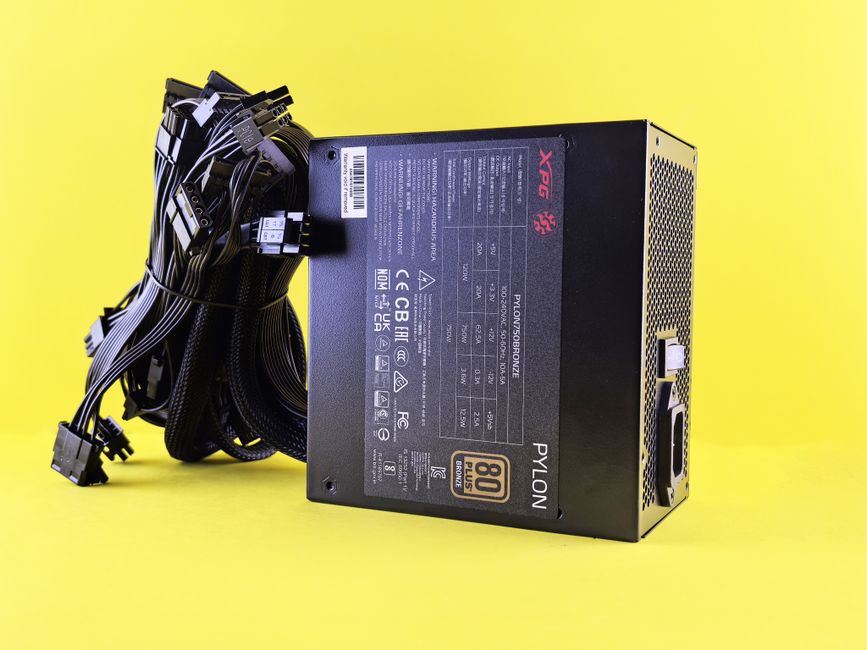
On the back of most desktop PCs there is a rocker switch on the power supply unit (PSU) — the metal box where the cable plugs in. Make sure it's set to I (On), not O (Off). After a surge, these can trip to the off position without you noticing.
Step 2 — Reset the Power Supply
Unplug the PC from the wall completely. Hold the power button on the front of the PC for 30 seconds. This drains any remaining charge and lets the PSU reset. Then plug back in and try again.
Step 3 — Listen and Look
When you press the power button, what happens? Any of these tell you something useful:
Nothing at all — PSU is likely dead or the fuse in the plug has blown.
Fan spins briefly then stops — the motherboard may have a fault, or RAM has been dislodged by the surge.
Powers on but no picture — the monitor, graphics card, or Windows itself may be the issue, not the hardware.
Beeps on startup — the BIOS is telling you what's wrong. Count the beeps and note the pattern.
Step 4 — Check the Plug Fuse (UK-wired Properties)
If you're in a property wired with UK-style plugs (common in expat homes), check the fuse inside the plug. A surge often blows the fuse rather than damaging the PC itself — which is exactly what it's designed to do. Replace with a 13A fuse and try again.
What About Laptops?
Laptops are generally better protected because the battery acts as a buffer. If your laptop won't start after a power cut, try this:
Unplug the charger completely.
If the battery is removable, take it out and hold the power button for 30 seconds.
Refit the battery, plug in the charger, wait two minutes, then power on.
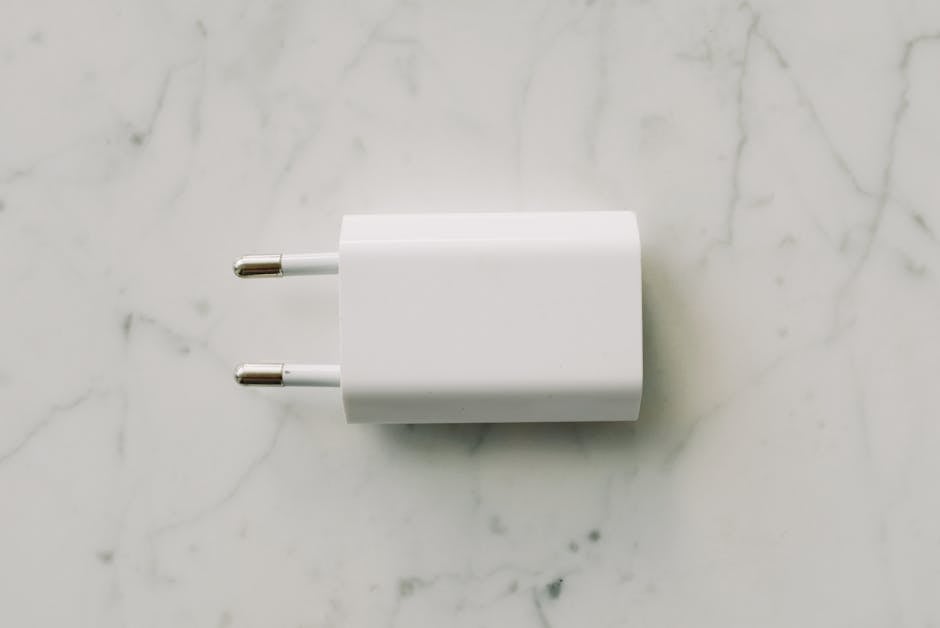
If the laptop turns on from battery but not from the mains, the charger has likely been damaged. Try a known-good charger before assuming the laptop is faulty.
When the PC Turns On But Windows Won't Load
If you get power but Windows crashes, shows a blue screen, or gets stuck in a repair loop, the power cut probably interrupted a write to the hard drive or SSD. Windows 10 and 11 usually recover themselves — let the automatic repair run and don't force-shut it down mid-process. If it fails after two attempts, that's when you need a technician to look at the drive.
Spain's power grid, especially on the Costa Blanca, is improving but outages and voltage spikes still happen — more so in summer and during storms. The single most effective thing you can do is plug your PC into a UPS (Uninterruptible Power Supply) rather than a plain extension lead. A UPS has a battery inside: when the power cuts, it keeps your PC running long enough to save your work and shut down cleanly. Basic models cost from around €40–€60 and they genuinely save machines. At the very least, use a surge-protected power strip — cheap ones from a supermarket offer almost no real protection, so buy a proper one rated in joules.
Quick tip: If you have a desktop PC in Spain and you're not using a UPS, you're taking a real risk every summer storm season. It's the cheapest insurance you'll buy for your computer.
When to Bring It In
If you've worked through all the steps above and the PC still won't start, the power supply unit itself has most likely failed. PSU replacement is a straightforward repair — usually done the same day. Occasionally a surge will damage the motherboard too, which is a bigger job, but still repairable in many cases. If you're on the Costa Blanca, bring it into Campoverde Repair in Pinar de Campoverde and we'll diagnose it for free before quoting anything.
FAQ
Can a power cut permanently damage a PC?
It can, but it's less common than people fear. The most likely casualty is the power supply unit, which is designed to absorb the hit before damage reaches the rest of the components. Motherboards and hard drives can be damaged by a severe surge, but a standard cut usually just trips a fuse or PSU protection circuit.
My PC turns on but the screen stays black — is it broken?
Not necessarily. A black screen after a power cut is often a RAM or graphics card connection issue caused by the sudden shutdown. Try reseating the RAM (unplug the PC first, remove and firmly reinsert the memory sticks). Also check the monitor cable is seated properly at both ends.
How do I know if my power supply has blown?
If there is absolutely no response when you press the power button — no lights, no fan movement, nothing — and you've already confirmed the wall socket has power, the PSU is the prime suspect. A technician can test it in minutes with a simple PSU tester tool.
Is a surge protector the same as a UPS?
No. A surge protector only limits voltage spikes — it doesn't keep your PC running if the power cuts entirely. A UPS does both: it protects against surges AND provides battery backup so you can shut down safely. For Spain's summer storm season, a UPS is well worth the investment.
Estabas trabajando, las luces parpadearon y ahora el PC está completamente muerto. No enciende, no hay ninguna luz, no hay ruido de ventilador — nada. Los cortes de luz en España pueden ser muy dañinos para los ordenadores, y es uno de los problemas que vemos con más frecuencia en Campoverde Repair. La buena noticia: en muchos casos lo puedes resolver tú mismo en menos de diez minutos.
Primero — Sin prisas: haz esto antes que nada
Antes de asumir lo peor, repasa estas comprobaciones rápidas. Te sorprendería la frecuencia con que la solución es algo muy sencillo.
Espera dos minutos completos. Algunos PC tienen un circuito de protección que bloquea el equipo tras una sobretensión. Dale tiempo para que se reinicie solo.
Comprueba el enchufe de la pared. Conecta una lámpara o el cargador del móvil en el mismo enchufe para confirmar que la luz ha vuelto de verdad.
Revisa la regleta o el alargador. Muchas regletas tienen un fusible interno o un botón de reinicio. Pulsa el botón de reset, o prueba a enchufar el PC directamente a la pared, sin pasar por la regleta.
Comprueba el cable en la parte trasera del PC. Una sobretensión puede hacer que el cable quede ligeramente suelto. Desenchúfalo, espera diez segundos y vuélvelo a conectar bien.
Paso a paso: diagnóstico de un PC de sobremesa
Paso 1 — El interruptor de la fuente de alimentación
En la parte trasera de la mayoría de los PC de sobremesa hay un interruptor de palanca en la fuente de alimentación (PSU, Power Supply Unit) — la caja metálica donde se conecta el cable de corriente. Asegúrate de que está en posición I (encendido) y no en O (apagado). Tras una sobretensión, estos interruptores pueden saltar a la posición de apagado sin que te des cuenta.
Paso 2 — Reinicia la fuente de alimentación
Desenchufa el PC de la corriente completamente. Mantén pulsado el botón de encendido de la parte delantera durante 30 segundos. Esto descarga la energía residual y permite que la PSU se reinicie. Después vuelve a enchufarlo y prueba de nuevo.
Paso 3 — Escucha y observa
Cuando pulsas el botón de encendido, ¿qué ocurre? Cada síntoma te da información valiosa:
Absolutamente nada — la PSU probablemente ha fallado o el fusible del enchufe ha saltado.
El ventilador gira un momento y se para — puede haber un fallo en la placa base o que la RAM se haya soltado con el golpe de tensión.
Enciende pero no hay imagen en pantalla — el problema puede estar en el monitor, la tarjeta gráfica o en el propio Windows, no en el hardware.
Pitidos al arrancar — la BIOS te está diciendo lo que falla. Cuenta los pitidos y anota el patrón.
Paso 4 — Comprueba el fusible del enchufe (en viviendas con clavija británica)
Si vives en una propiedad con enchufes de tipo británico — habitual en muchos hogares de expatriados en la Costa Blanca — revisa el fusible dentro de la clavija. Una sobretensión suele fundir ese fusible en lugar de dañar el PC, que es precisamente para lo que está diseñado. Cámbialo por uno de 13A e inténtalo de nuevo.
¿Y si es un portátil?
Los portátiles están mejor protegidos en general porque la batería actúa como amortiguador. Si tu portátil no arranca tras un corte de luz, prueba esto:
Desenchufa el cargador completamente.
Si la batería es extraíble, sácala y mantén pulsado el botón de encendido durante 30 segundos.
Vuelve a colocar la batería, conecta el cargador, espera dos minutos y enciéndelo.
Si el portátil arranca con batería pero no cuando está enchufado, es probable que el cargador se haya dañado. Prueba con un cargador de repuesto antes de suponer que el portátil está estropeado.
Cuando el PC enciende pero Windows no arranca
Si el PC recibe corriente pero Windows se cuelga, aparece una pantalla azul o entra en un bucle de reparación, el corte de luz probablemente interrumpió una escritura en el disco duro o el SSD. Windows 10 y 11 normalmente se recuperan solos — deja que el proceso de reparación automática termine y no lo interrumpas a la fuerza. Si falla tras dos intentos, es el momento de que un técnico revise el disco.
La red eléctrica en España, especialmente en la Costa Blanca, ha mejorado mucho, pero los cortes y los picos de tensión siguen ocurriendo — más en verano y durante tormentas. Lo más eficaz que puedes hacer es conectar tu PC a un SAI (Sistema de Alimentación Ininterrumpida), conocido también como UPS, en lugar de a una simple regleta. Un SAI tiene una batería interna: cuando se va la luz, mantiene el PC en marcha el tiempo suficiente para guardar el trabajo y apagarlo correctamente. Los modelos básicos cuestan entre 40 y 60 € y realmente salvan equipos. Como mínimo, usa una regleta con protección contra sobretensiones — las baratas del supermercado ofrecen una protección casi nula, así que compra una de calidad con clasificación en julios.
Consejo rápido: Si tienes un PC de sobremesa en España y no usas un SAI, estás asumiendo un riesgo real cada temporada de tormentas de verano. Es el seguro más barato que puedes contratar para tu ordenador.
Cuándo traerlo al taller
Si has seguido todos los pasos anteriores y el PC sigue sin encender, lo más probable es que la fuente de alimentación haya fallado. Cambiar una PSU es una reparación sencilla — normalmente se hace el mismo día. En ocasiones una sobretensión también daña la placa base, lo cual es un trabajo mayor, pero en muchos casos igualmente reparable. Si estás en la Costa Blanca, tráelo a Campoverde Repair en Pinar de Campoverde y lo diagnosticamos gratis antes de darte ningún presupuesto.
Preguntas frecuentes
¿Puede un apagón dañar el PC de forma permanente?
Puede, pero es menos frecuente de lo que la gente teme. La víctima más probable es la fuente de alimentación, que está diseñada para absorber el golpe antes de que el daño llegue al resto de componentes. La placa base y el disco duro pueden dañarse con una sobretensión grave, pero un corte normal suele limitarse a fundir un fusible o disparar el circuito de protección de la PSU.
Mi PC enciende pero la pantalla se queda en negro — ¿está roto?
No necesariamente. Una pantalla en negro tras un apagón suele ser un problema de conexión de la RAM o la tarjeta gráfica causado por el apagado brusco. Prueba a retirar y volver a insertar los módulos de RAM (siempre con el PC desenchufado). Comprueba también que el cable del monitor esté bien conectado en ambos extremos.
¿Cómo sé si la fuente de alimentación ha fallado?
Si al pulsar el botón de encendido no ocurre absolutamente nada — sin luces, sin ventilador, sin ninguna señal de vida — y ya has confirmado que la pared tiene corriente, la PSU es la principal sospechosa. Un técnico puede comprobarlo en pocos minutos con un tester de fuentes de alimentación.
¿Una regleta con protección es lo mismo que un SAI?
No. Una regleta con protección contra sobretensiones solo limita los picos de voltaje — no mantiene el PC encendido si se va la luz. Un SAI hace las dos cosas: protege contra sobretensiones Y proporciona batería de reserva para que puedas apagar el equipo correctamente. Para la temporada de tormentas de verano en España, un SAI es una inversión que merece la pena.
Computer trouble on the Costa Blanca?
30+ years of repair experience — on-site within 30 km and remote worldwide. Tell me what's wrong and I'll sort it.