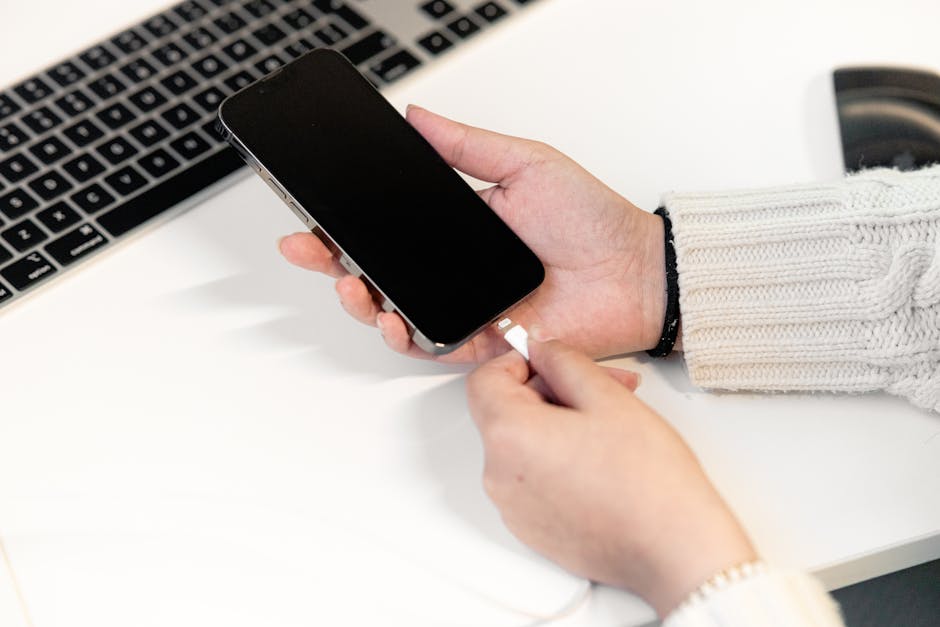
You plug in your iPhone and nothing happens. No chime, no lightning bolt, no charging indicator. It's one of those small moments that can ruin your whole day, especially if you rely on your phone for maps, translation, or staying in touch with family back home. The good news: most charging problems have a simple cause, and quite a few you can sort yourself.
Here's an honest, practical rundown of what actually goes wrong — and when you need a professional.
1. The most common culprit: a blocked charging port
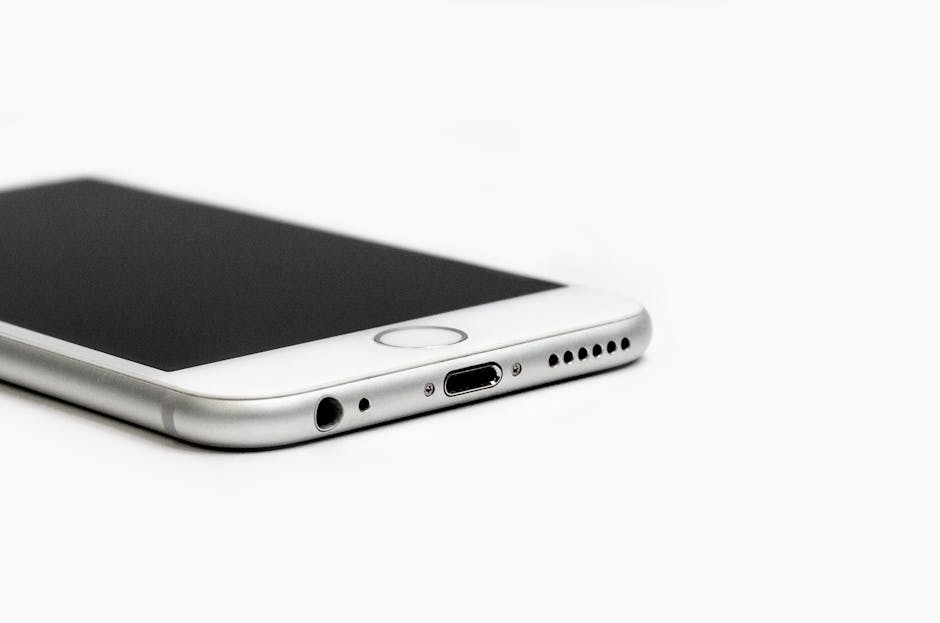
This is the number one cause, and it's almost embarrassing how often it's the answer. If you carry your iPhone in a pocket or bag, lint and dust work their way silently into the charging port over weeks and months. Eventually there's enough fluff in there that the cable can't make a solid connection.
What to do: Look inside the port with a torch (your iPad or another phone's torch works perfectly). If you can see compacted fluff, you can carefully remove it with a dry wooden toothpick — not a metal pin, not a paper clip. Work gently along the bottom of the port and ease the lint out in one piece if you can. Never use compressed air pointing directly into the port at close range, as it can push debris deeper or damage the connectors.
Once clear, plug in again. Many people are amazed to find their phone charges perfectly after this.
2. The cable or charger is the problem, not the phone
Cables have a hard life. They bend, twist, get yanked out at odd angles, and bake in the Spanish sun on car dashboards. A cable that looks fine on the outside can be broken inside. The same goes for cheap third-party chargers — and Spain, like the rest of Europe, is full of market-stall cables that look the part but aren't MFi-certified (Apple-approved).
What to do: Try a known-good cable and charger. Borrow one from a friend or family member. If the phone charges with a different cable, you've found your problem. Replace the cable — and buy a proper Apple or certified third-party one from a reputable shop, not a market stall.
3. The charging adapter and Spain's voltage
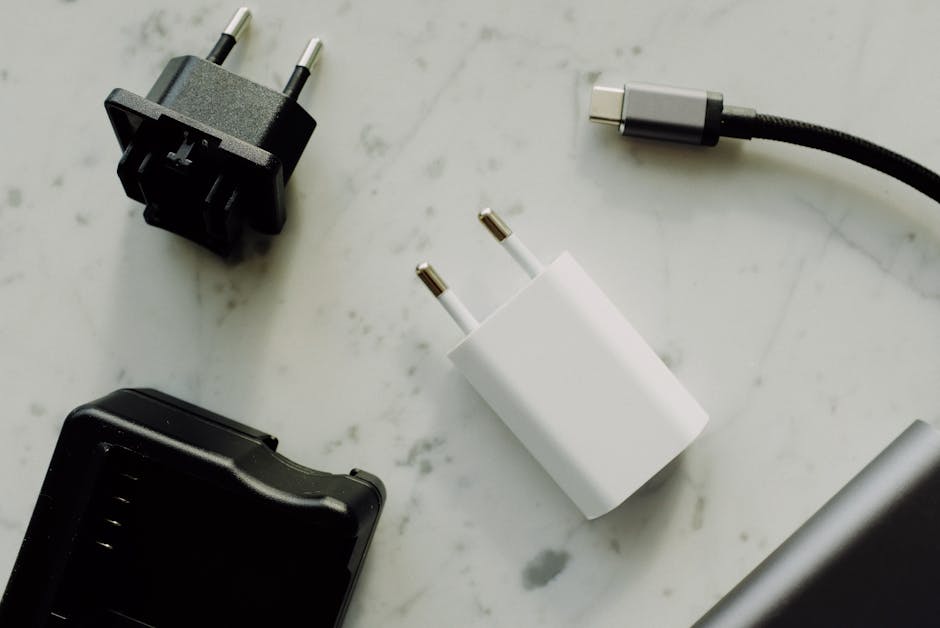
Spain runs on 230 V / 50 Hz — the same as the rest of mainland Europe. If you've brought a charger from outside the EU (the US uses 120 V, for example) and it isn't dual-voltage, it could be the cause of erratic charging or no charging at all. Check the small print on your charger brick — it should say something like Input: 100–240 V. If it only says 120 V, don't use it here without a proper voltage converter.
Most modern Apple chargers are universal (100–240 V), but older or third-party units sometimes aren't. When in doubt, get a new charger locally.
4. Software has frozen the charging process
Occasionally the iPhone's software gets itself into a state where it simply doesn't register that a charger has been connected — even though the hardware is fine. It's rare, but it happens.
What to do: Force-restart your iPhone. On iPhone 8 and later: press and quickly release Volume Up, press and quickly release Volume Down, then press and hold the Side button until you see the Apple logo. On older models with a Home button, hold Home + Side (or Home + Top) together for 10 seconds. Once it restarts, plug the charger back in.
5. The battery is worn out
iPhone batteries are rated for around 500 full charge cycles. After that, capacity drops — and in some cases a very degraded battery will refuse to charge at all, or the phone will shut off at 30% and not come back on. Heat makes this worse, and the Costa Blanca summers are brutal on batteries left in cars or direct sun.
Go to Settings → Battery → Battery Health & Charging. If Maximum Capacity is below 80%, a replacement is worth considering. Below 70% and you'll really feel it. A battery replacement from a proper repair shop will make your phone feel new again — and it's far cheaper than a new handset.
6. Physical damage to the charging port
If the port looks bent, corroded (a white or green crust — common near the sea), or the cable wobbles loosely when plugged in, the port itself needs attention. Port replacement is a job for a technician — it's a delicate soldering task — but it's very much fixable, and usually costs a fraction of a new phone.
If you've dropped the phone in water — even briefly in a pool or the sink — and charging stopped afterwards, corrosion inside the port is the likely suspect. Leave the phone in a dry, warm place (not in rice — that's a myth) for 24–48 hours before trying again, then have it looked at if it still won't charge.
Quick-reference: DIY vs. bring it in
Symptom
Try yourself
See a technician
Lint in port
✅ Wooden toothpick, torch
If port looks damaged after
Faulty cable / charger
✅ Swap for a known-good one
—
Software freeze
✅ Force-restart
If problem persists
Battery health below 80 %
Check in Settings
✅ Battery replacement
Bent / corroded port
—
✅ Port repair / replacement
Water damage
Dry out 24–48 h
✅ Internal inspection
When to bring your iPhone to us
If you've worked through the steps above and your iPhone still won't charge, it's time for a proper look. At Campoverde Repair in Pinar de Campoverde, we deal with iPhone charging faults every week — dead ports, worn batteries, water damage, you name it. We'll tell you honestly what the problem is and what it will cost before we do anything. No surprises.
And while iPhones tend to get the attention, charging faults on other devices are just as fixable — if your MacBook is playing up too, have a read of our post on what actually helps when your Mac runs slow, which covers power and performance issues together.
Whatever the problem, don't sit with a dead phone for days hoping it sorts itself out. Most charging faults are quick and affordable to fix.
FAQ
Why is my iPhone showing a charging symbol but the battery percentage isn't going up?
This usually means the charger or cable is partially working but not delivering enough power — often a failing cable or underpowered charger. It can also point to a battery that's too degraded to accept a full charge. Try a different cable and charger first; if that doesn't help, have the battery health checked.
Can I use any USB-C charger with my iPhone?
iPhone 15 and later use USB-C. While physically any USB-C cable will connect, Apple recommends cables rated for USB 2.0 or higher. For fast charging you need a 20 W or higher power adapter. Cheap, uncertified cables can charge slowly, unreliably, or not at all — and in rare cases can damage the phone.
My iPhone got wet at the beach — should I put it in rice?
No — the rice myth is persistent but unhelpful. Rice doesn't absorb moisture from inside electronics; it can actually introduce starch dust into ports. Instead, gently dry the outside, leave the phone in a warm dry place with the ports facing down, and don't try to charge it for at least 24–48 hours. If it still won't charge after drying out, bring it in for an internal check.
How much does it cost to fix an iPhone charging port in Spain?
Port repairs vary depending on the iPhone model, but at an independent repair shop on the Costa Blanca it's typically a fraction of the cost of a new handset. Always ask for a quote before authorising any work — a trustworthy shop will give you one for free.
El iPhone no carga — antes de preocuparte, lee esto
Conectas el iPhone y no pasa nada. Sin sonido, sin rayo, sin indicador de carga. Es uno de esos contratiempos pequeños que te arruinan el día, sobre todo si dependes del móvil para el GPS, comunicarte con la familia o gestionar cualquier cosa del día a día. La buena noticia: la mayoría de los problemas de carga tienen una causa sencilla, y muchos los puedes resolver tú mismo.
Aquí tienes una explicación honesta y práctica de lo que realmente falla — y cuándo necesitas un profesional.
1. La causa más habitual: el puerto de carga obstruido
Es el motivo número uno, y da un poco de vergüenza lo a menudo que es la respuesta. Si llevas el iPhone en el bolsillo o en el bolso, la pelusa y el polvo se van acumulando silenciosamente en el puerto de carga durante semanas o meses. Al final hay tanta suciedad que el cable no puede hacer contacto.
Qué hacer: Mira dentro del puerto con una linterna (la de otro móvil o tablet funciona perfectamente). Si ves pelusa compactada, puedes retirarla con cuidado usando un palillo de madera seco — nunca un pin metálico ni un clip. Trabaja con suavidad por la parte inferior del puerto e intenta sacar la pelusa en un solo trozo. Evita el aire comprimido apuntando directamente al puerto de cerca, ya que puede empujar la suciedad hacia dentro o dañar los contactos.
Una vez limpio, vuelve a conectar el cargador. Mucha gente se sorprende al ver que el iPhone carga perfectamente después de esto.
2. El problema es el cable o el cargador, no el iPhone
Los cables tienen una vida dura. Se doblan, se tuercen, se arrancan en ángulos extraños y se cuecen al sol español en el salpicadero del coche. Un cable que por fuera parece bien puede estar roto por dentro. Lo mismo ocurre con los cargadores baratos de terceros — y en España, como en toda Europa, abundan los cables de mercadillo que tienen buena pinta pero no están certificados MFi (certificación de Apple).
Qué hacer: Prueba con un cable y un cargador que sepas que funcionan. Pídeselos a un familiar o amigo. Si el móvil carga con otro cable, ya has encontrado el problema. Cámbialo por uno de Apple o de un fabricante certificado, comprado en una tienda de confianza, no en un puesto callejero.
3. El adaptador de carga y el voltaje en España
España funciona a 230 V / 50 Hz, igual que el resto de Europa continental. Si has traído un cargador de fuera de la UE (en EE. UU. se usan 120 V, por ejemplo) y no es de doble voltaje, puede ser la causa de una carga errática o nula. Mira la letra pequeña en el bloque del cargador: debe poner algo como Entrada: 100–240 V. Si solo indica 120 V, no lo uses aquí sin un conversor de voltaje adecuado.
La mayoría de los cargadores modernos de Apple son universales (100–240 V), pero los modelos más antiguos o los de terceros a veces no lo son. En caso de duda, compra un cargador nuevo aquí.
4. Un fallo de software bloquea la carga
Ocasionalmente, el software del iPhone se queda en un estado en el que simplemente no detecta que se ha conectado un cargador, aunque el hardware esté perfectamente. Es poco frecuente, pero ocurre.
Qué hacer: Fuerza el reinicio del iPhone. En iPhone 8 y modelos posteriores: pulsa y suelta rápidamente el botón de subir volumen, pulsa y suelta rápidamente el de bajar volumen, y luego mantén pulsado el botón lateral hasta que aparezca el logo de Apple. En modelos más antiguos con botón de inicio, mantén pulsados el botón de inicio y el lateral (o el de inicio y el superior) durante 10 segundos. Cuando reinicie, vuelve a conectar el cargador.
5. La batería está agotada
Las baterías del iPhone están diseñadas para unos 500 ciclos completos de carga. A partir de ahí, la capacidad cae — y en algunos casos una batería muy degradada se niega a cargarse o el móvil se apaga al 30 % y no vuelve a encender. El calor lo empeora, y los veranos de la Costa Blanca son muy duros para las baterías que se dejan en coches o al sol directo.
Ve a Ajustes → Batería → Estado de la batería y carga. Si la capacidad máxima está por debajo del 80 %, merece la pena cambiarla. Por debajo del 70 % lo notarás claramente. Cambiar la batería en un taller de reparación serio hará que tu móvil vuelva a sentirse nuevo — y cuesta mucho menos que un terminal nuevo.
6. Daño físico en el puerto de carga
Si el puerto tiene los contactos doblados, corroídos (una costra blanca o verdosa — habitual cerca del mar), o el cable se mueve suelto al conectarlo, el puerto necesita intervención. La sustitución del puerto es trabajo de técnico — requiere soldadura delicada — pero es perfectamente reparable y suele costar una fracción del precio de un móvil nuevo.
Si has mojado el iPhone — aunque sea un momento en la piscina o en el fregadero — y la carga se interrumpió después, la corrosión interna es la sospechosa más probable. Deja el móvil en un lugar seco y cálido (no en arroz — eso es un mito) durante 24–48 horas antes de intentarlo de nuevo y, si sigue sin cargar, llévalo a revisar.
Referencia rápida: ¿lo hago yo o lo llevo al técnico?
Síntoma
Pruébalo tú
Ve al técnico
Pelusa en el puerto
✅ Palillo de madera y linterna
Si el puerto parece dañado después
Cable o cargador defectuoso
✅ Cámbialo por uno que funcione
—
Bloqueo de software
✅ Fuerza el reinicio
Si el problema persiste
Batería por debajo del 80 %
Compruébalo en Ajustes
✅ Cambio de batería
Puerto doblado o corroído
—
✅ Reparación del puerto
Daño por agua
Sécalo 24–48 h
✅ Revisión interna
Cuándo traernos tu iPhone
Si has seguido los pasos anteriores y el iPhone sigue sin cargar, es hora de que un profesional lo vea. En Campoverde Repair, en Pinar de Campoverde, solucionamos fallos de carga en iPhone cada semana: puertos estropeados, baterías agotadas, daños por agua… de todo. Te diremos honestamente cuál es el problema y cuánto costará antes de tocar nada. Sin sorpresas.
Y aunque el iPhone se lleva toda la atención, los fallos de carga en otros dispositivos también tienen solución. Si tu Mac también te está dando problemas, échale un vistazo a nuestro artículo sobre qué ayuda de verdad cuando el Mac va lento, donde también hablamos de problemas de rendimiento y alimentación.
Sea cual sea el problema, no te quedes días con el móvil muerto esperando a que se solucione solo. La mayoría de los fallos de carga se resuelven rápido y sin gastar mucho.
Preguntas frecuentes
¿Por qué el iPhone muestra el símbolo de carga pero el porcentaje no sube?
Normalmente significa que el cargador o el cable funciona parcialmente pero no suministra suficiente potencia — suele ser un cable en mal estado o un cargador de baja potencia. También puede indicar una batería demasiado degradada para aceptar carga completa. Prueba primero con otro cable y cargador; si no mejora, conviene revisar el estado de la batería.
¿Puedo usar cualquier cargador USB-C con mi iPhone?
El iPhone 15 y los modelos posteriores usan USB-C. Aunque físicamente cualquier cable USB-C encaja, Apple recomienda cables certificados para USB 2.0 o superior. Para carga rápida necesitas un adaptador de 20 W o más. Los cables baratos sin certificar pueden cargar lento, de forma irregular, o no cargar en absoluto — y en casos extremos pueden dañar el móvil.
Se me mojó el iPhone en la playa — ¿lo meto en arroz?
No — el truco del arroz es un mito muy extendido pero inútil. El arroz no absorbe la humedad del interior de los dispositivos electrónicos; de hecho puede introducir polvo de almidón en los puertos. En su lugar, seca el exterior con cuidado, deja el móvil en un lugar seco y cálido con los puertos hacia abajo, y no intentes cargarlo al menos durante 24–48 horas. Si después de secarse sigue sin cargar, tráelo para una revisión interna.
¿Cuánto cuesta reparar el puerto de carga de un iPhone en España?
El precio varía según el modelo de iPhone, pero en un taller independiente de la Costa Blanca suele ser una fracción del coste de un terminal nuevo. Pide siempre presupuesto antes de autorizar cualquier reparación — un taller serio te lo dará gratis y sin compromiso.
Computer trouble on the Costa Blanca?
30+ years of repair experience — on-site within 30 km and remote worldwide. Tell me what's wrong and I'll sort it.