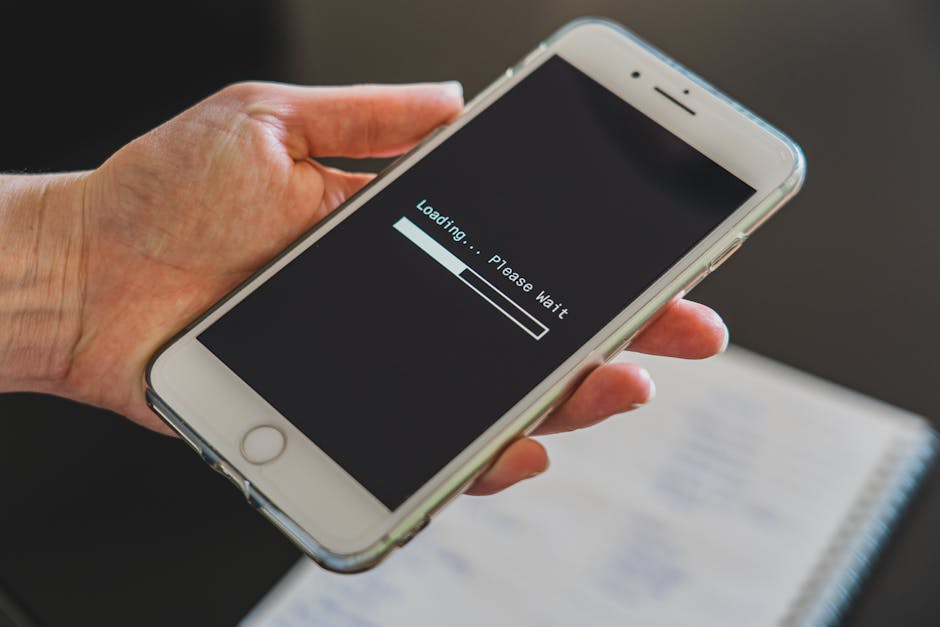
That spinning wheel when you just want to get online
You're at home in Pinar de Campoverde, you tap your network name, and nothing happens — or it connects for thirty seconds and drops. This is one of the most common complaints we hear at Campoverde Repair, and the good news is that most of the time it's fixable without bringing the device in.
Work through these steps in order. Most people find the fix before they reach the end.
Step 1 — Check it's actually your device, not your router
Before touching your iPhone or iPad, grab another device — a laptop, a second phone, anything — and try connecting it to the same Wi-Fi. If that can't connect either, the problem is your router or your ISP (Movistar, Vodafone, Orange, etc.), not your Apple device.
Router fix: Unplug it from the wall, wait 30 seconds, plug it back in. Give it two minutes to fully restart. This clears a surprising number of faults.
Still nothing? Call your internet provider. In Spain, Movistar has an English-language helpline option; most providers have an app you can use on mobile data to report faults.
If other devices connect fine, carry on to Step 2.
Step 2 — Forget the network and rejoin it
Your iPhone or iPad sometimes gets stuck on a saved password or a corrupted network profile. Forgetting the network wipes that out.
Go to Settings → Wi-Fi.
Tap the small (i) circle next to your network name.
Tap Forget This Network, then confirm.
Tap the network name again, re-enter your Wi-Fi password, and connect.
Don't know your Wi-Fi password? Check the sticker on the back or bottom of your router — it's usually labelled Contraseña, Clave Wi-Fi, or just Password. On another Apple device running iOS 16 or later, you can also tap the (i) next to the network and tap Share Password.
Step 3 — Restart your iPhone or iPad
It sounds obvious, but a full power-off-and-on clears temporary software glitches that a screen lock doesn't. Hold the side button (plus a volume button on Face ID models) until you see the power slider. Slide it, wait 30 seconds, power back on.
Step 4 — Check for an iOS update
Apple regularly releases bug fixes for Wi-Fi and networking issues. Go to Settings → General → Software Update. If an update is waiting, install it on mobile data or take the device somewhere you can connect, then update.
We've seen iOS updates fix persistent Wi-Fi drops on Costa Blanca networks overnight — it's worth checking before you do anything more drastic.
Step 5 — Reset Network Settings
This is the most powerful self-fix available. It wipes all saved Wi-Fi passwords, VPN settings, and Bluetooth pairings — so make sure you have your passwords written down first.
Go to Settings → General → Transfer or Reset iPhone → Reset.
Tap Reset Network Settings.
Enter your passcode and confirm.
The device restarts. Reconnect to your Wi-Fi as if it's a new device.
This fixes the vast majority of stubborn Wi-Fi problems. If you're still stuck after this, there's likely a deeper software issue — or, occasionally, a hardware fault with the Wi-Fi antenna.
Spain-specific things that catch expats out
A few quirks we see regularly on the Costa Blanca:
Router bands: Many Spanish routers broadcast two networks — one at 2.4 GHz and one at 5 GHz, often with names like MyNetwork and MyNetwork_5G. If 5 GHz is dropping, try the 2.4 GHz network instead — it's slower but more stable through walls.
Captive portals: In bars, urbanisations with shared Wi-Fi, or holiday parks, you often need to open a browser and accept terms before the internet works. Your device may show as "connected" but browsing won't work until you do this.
VPNs: Many expats use a VPN to access UK TV. Some VPN apps interfere with Wi-Fi joining. Try turning the VPN off before connecting, then turn it back on once you're online.
When to bring it in
If you've done all five steps and the problem persists, it's time to get eyes on the device. A Reset Network Settings that doesn't help, combined with the Wi-Fi option being greyed out in Settings, usually points to a hardware fault — a damaged Wi-Fi chip or antenna, which can be caused by a drop, moisture, or simple age.
We can diagnose this quickly at Campoverde Repair. Most repairs are same-day. It's also worth reading our guide on why your Mac might be running slow — some of the underlying iOS/macOS networking issues overlap.
And if you'd rather not make the trip, we offer remote support for software-side problems — just get in touch.
FAQ
Why does my iPhone say 'Connected' but there's no internet in Spain?
This usually means your router has a local connection but no internet signal from the provider — restart the router and check your ISP's fault line. It can also be a captive portal (common on urbanisation or bar Wi-Fi) that needs you to open a browser and accept terms.
Will resetting network settings delete my photos or apps?
No. Reset Network Settings only clears Wi-Fi passwords, VPN configs, and Bluetooth pairings. Your photos, apps, messages, and everything else stay exactly as they are.
My iPhone connects to Wi-Fi but keeps dropping every few minutes — what's wrong?
The most common causes are a congested router (too many devices), a weak signal, interference on the 5 GHz band, or an iOS bug. Try switching to the 2.4 GHz network, move closer to the router, and check for an iOS update. If it persists, Reset Network Settings.
The Wi-Fi option is greyed out on my iPhone — can I fix that myself?
Sometimes a full restart or a Reset Network Settings will bring it back. If it's still greyed out after both of those, it's almost certainly a hardware fault with the Wi-Fi module and will need a technician to look at it.
Esa ruedecita girando cuando solo quieres conectarte
Estás en casa en Pinar de Campoverde, pulsas el nombre de tu red y no pasa nada — o se conecta treinta segundos y se cae. Es una de las consultas más habituales en Campoverde Repair, y la buena noticia es que la mayoría de las veces tiene solución sin necesidad de traer el dispositivo.
Sigue estos pasos en orden. La mayoría de las personas encuentran la solución antes de llegar al final.
Paso 1 — Comprueba si el problema es tu dispositivo o tu router
Antes de tocar el iPhone o iPad, coge otro dispositivo — un portátil, un segundo móvil, lo que sea — e intenta conectarlo a la misma red Wi-Fi. Si ese tampoco conecta, el problema está en tu router o en tu operadora (Movistar, Vodafone, Orange…), no en tu dispositivo Apple.
Solución para el router: Desenchúfalo de la corriente, espera 30 segundos y vuelve a enchufarlo. Dale dos minutos para reiniciarse del todo. Esto elimina una cantidad sorprendente de fallos.
¿Sigue sin funcionar? Llama a tu operadora. Movistar, Vodafone y Orange tienen apps móviles desde las que puedes notificar averías usando los datos del móvil.
Si otros dispositivos conectan sin problema, continúa con el Paso 2.
Paso 2 — Olvida la red y vuelve a conectarte
A veces el iPhone o iPad se queda «atascado» con una contraseña guardada en caché o un perfil de red corrupto. Olvidar la red limpia todo eso.
Ve a Ajustes → Wi-Fi.
Pulsa el círculo (i) junto al nombre de tu red.
Pulsa Omitir esta red y confirma.
Vuelve a pulsar el nombre de la red, introduce la contraseña Wi-Fi y conéctate.
¿No recuerdas la contraseña del Wi-Fi? Mira la pegatina en la parte trasera o inferior del router — suele estar etiquetada como Contraseña, Clave Wi-Fi o Password. Si tienes otro dispositivo Apple con iOS 16 o posterior, también puedes pulsar la (i) junto a la red y tocar Compartir contraseña.
Paso 3 — Reinicia el iPhone o iPad
Parece obvio, pero apagar y encender del todo elimina errores temporales de software que bloquear y desbloquear la pantalla no resuelve. Mantén pulsado el botón lateral (más un botón de volumen en los modelos con Face ID) hasta ver el control deslizante. Deslízalo, espera 30 segundos y vuelve a encender el dispositivo.
Paso 4 — Comprueba si hay una actualización de iOS
Apple publica correcciones de errores de Wi-Fi y conectividad con regularidad. Ve a Ajustes → General → Actualización de software. Si hay una actualización pendiente, instálala usando los datos móviles o lleva el dispositivo a un sitio donde sí tengas conexión y actualiza desde allí.
Hemos visto cómo una actualización de iOS resolvía caídas continuas de Wi-Fi en redes de la Costa Blanca de un día para otro — merece la pena comprobarlo antes de hacer nada más drástico.
Paso 5 — Restablecer ajustes de red
Es la solución más potente que puedes aplicar tú mismo. Borra todas las contraseñas Wi-Fi guardadas, ajustes de VPN y emparejamientos Bluetooth, así que anota tus contraseñas antes de empezar.
Ve a Ajustes → General → Transferir o restablecer el iPhone → Restablecer.
Pulsa Restablecer ajustes de red.
Introduce tu código y confirma.
El dispositivo se reinicia. Conéctate al Wi-Fi como si fuera la primera vez.
Esto resuelve la gran mayoría de los problemas persistentes de Wi-Fi. Si después de esto sigues sin conexión, probablemente haya un problema de software más profundo o, en ocasiones, un fallo de hardware en la antena Wi-Fi.
Cosas típicas de España que confunden a los expats
Algunos casos que vemos con frecuencia en la Costa Blanca:
Bandas del router: Muchos routers españoles emiten dos redes — una a 2,4 GHz y otra a 5 GHz, a menudo con nombres como MiRed y MiRed_5G. Si la de 5 GHz falla, prueba con la de 2,4 GHz — es más lenta pero más estable entre paredes.
Portales cautivos: En bares, urbanizaciones con Wi-Fi compartido o campings, a menudo tienes que abrir el navegador y aceptar unas condiciones antes de que funcione internet. El dispositivo puede aparecer como «conectado» pero la navegación no funcionará hasta que lo hagas.
VPN: Muchos expats usan una VPN para ver la televisión de su país. Algunas apps de VPN interfieren con la conexión Wi-Fi. Prueba a desactivar la VPN antes de conectarte y actívala de nuevo una vez estés en línea.
Cuándo traer el dispositivo al taller
Si has seguido los cinco pasos y el problema continúa, es el momento de que alguien lo examine en persona. Cuando «Restablecer ajustes de red» no ayuda y además la opción Wi-Fi aparece en gris en Ajustes, casi siempre apunta a un fallo de hardware — un chip o antena Wi-Fi dañados por un golpe, humedad o simplemente el paso del tiempo.
En Campoverde Repair lo diagnosticamos rápidamente, y la mayoría de reparaciones son en el día. Si tu Mac también va lento, échale un vistazo a nuestra guía sobre por qué el Mac va lento y cómo solucionarlo — algunos problemas de red en iOS y macOS se solapan.
Y si prefieres no desplazarte, ofrecemos soporte remoto para problemas de software — solo tienes que contactarnos.
Preguntas frecuentes
¿Por qué mi iPhone dice 'Conectado' pero no hay internet en España?
Normalmente significa que el router tiene conexión local pero la operadora no está suministrando internet — reinicia el router y llama al servicio de averías de tu ISP. También puede ser un portal cautivo (habitual en Wi-Fi de urbanizaciones o bares) que requiere abrir el navegador y aceptar unas condiciones.
¿Restablecer ajustes de red borra mis fotos o aplicaciones?
No. Restablecer ajustes de red solo elimina contraseñas Wi-Fi, configuraciones de VPN y emparejamientos Bluetooth. Tus fotos, apps, mensajes y todo lo demás permanecen exactamente igual.
Mi iPhone se conecta al Wi-Fi pero se cae cada pocos minutos, ¿qué ocurre?
Las causas más frecuentes son un router saturado (demasiados dispositivos), señal débil, interferencias en la banda de 5 GHz o un error de iOS. Prueba a cambiar a la red de 2,4 GHz, acércate al router y comprueba si hay actualizaciones de iOS. Si persiste, restablece los ajustes de red.
La opción Wi-Fi aparece en gris en mi iPhone, ¿puedo arreglarlo yo mismo?
A veces un reinicio completo o restablecer los ajustes de red lo recupera. Si sigue en gris después de ambos pasos, casi con total seguridad es un fallo de hardware en el módulo Wi-Fi y necesitará que un técnico lo revise.
Computer trouble on the Costa Blanca?
30+ years of repair experience — on-site within 30 km and remote worldwide. Tell me what's wrong and I'll sort it.