

How to Tell If Your Windows Laptop RAM Is Failing (and How to Fix It)
The Two Paths Standing Between You and a Working Laptop
Failing RAM is one of the most misdiagnosed problems in computing. It disguises itself as a virus, a dying hard drive, a "Windows update gone wrong" — and far too many people end up buying a brand-new laptop when a €30 RAM stick would have fixed everything. Faulty RAM in a Windows laptop causes symptoms ranging from random crashes and Blue Screens of Death (BSODs) to corrupted files and apps that simply refuse to open. The fix is either diagnosing and replacing the RAM yourself or handing it to a professional repair shop. Both paths get you to the same destination. The route you take depends on your confidence, your time, and what's actually inside your machine.
Here's the head-to-head breakdown so you can stop second-guessing and start fixing.
The Contenders
- Option A — DIY Diagnosis & RAM Replacement: You run Windows Memory Diagnostic or MemTest86, identify the fault, buy a compatible stick, and swap it yourself.
- Option B — Professional Repair (us, or someone like us): You drop the laptop off, we test it properly, source the right part, and have it back to you fast — usually same day or next day.
The Criteria We're Judging This On
- Accuracy of diagnosis
- Risk of making things worse
- Cost
- Time investment
- Technical skill required
- Long-term reliability

Accuracy of Diagnosis
Windows has a built-in tool called Windows Memory Diagnostic (search for it in the Start menu, restart when prompted). It catches obvious faults reasonably well. But "reasonably well" isn't the same as "reliably." Intermittent RAM failures — where a stick works fine under light load but falls apart under stress — regularly sail straight through Windows Memory Diagnostic without triggering a single error flag.
MemTest86 is the proper tool. It's free, runs from a USB drive, and tests RAM independently of Windows — meaning Windows itself can't mask the problem. Run it for at least two full passes (four or more if you have time). A single error in MemTest86 means your RAM is failing. No debate.
A professional repair shop uses MemTest86 as standard, often alongside additional stress-testing tools, and can isolate whether the problem is the RAM stick, the RAM slot on the motherboard, or something else entirely mimicking RAM failure (corrupted Windows install, failing SSD, overheating CPU). DIY diagnosis can match that accuracy — but only if you're thorough and patient enough to do it right.
Verdict on accuracy: Professional diagnosis wins on completeness. DIY is perfectly viable if you use MemTest86 and not just the Windows built-in tool.
Risk of Making Things Worse
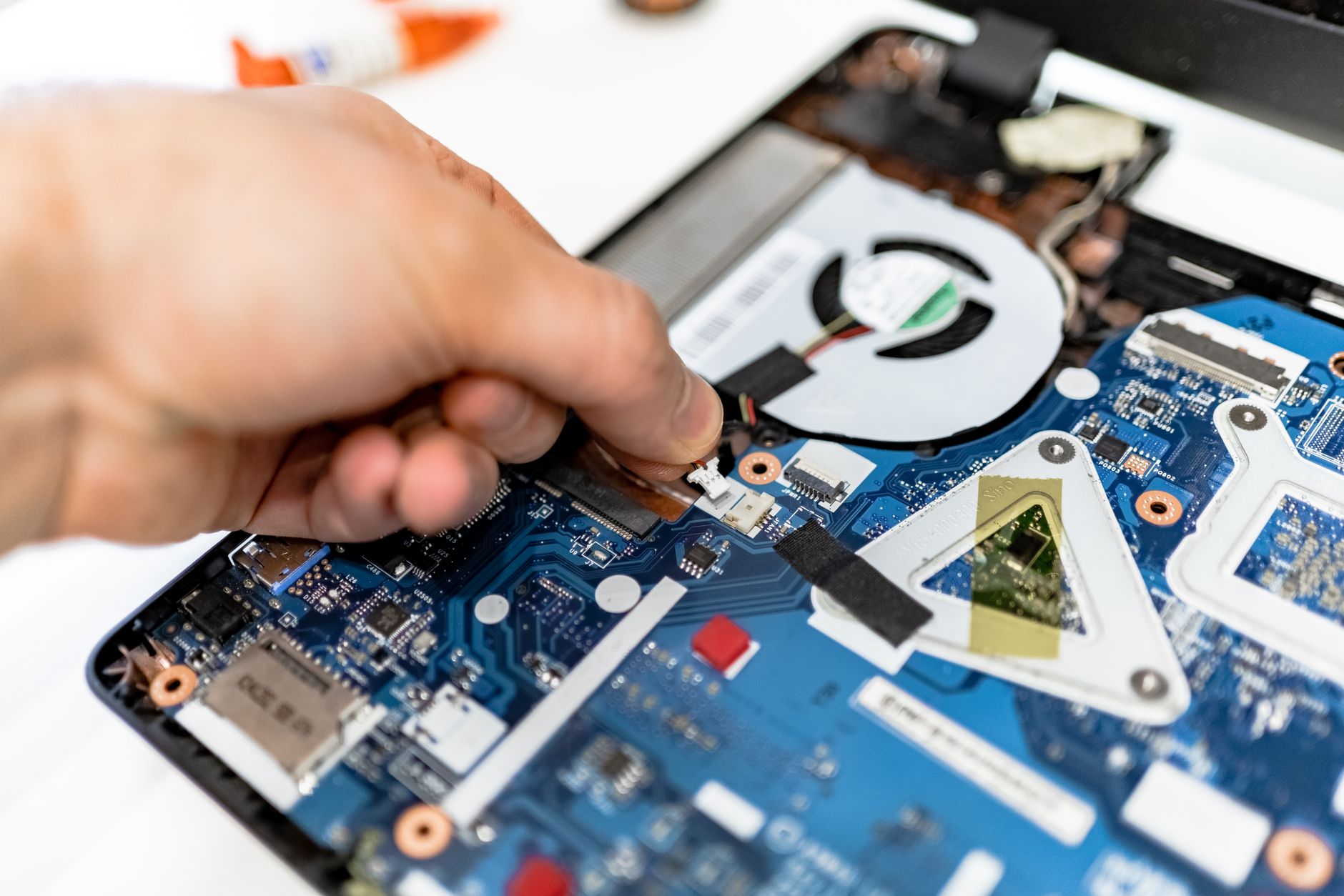
This is where things get real. Modern laptops are not designed to be opened. Manufacturers like Asus, HP, Lenovo, and Dell have spent years making their budget and mid-range machines progressively harder to service — thinner chassis, proprietary screws, ribbon cables that tear if you look at them sideways, and in an increasing number of 2025–2026 models, RAM that is soldered directly to the motherboard.
If your RAM is soldered (common in ultrabooks, recent MacBooks that dual-boot Windows, and many thin-and-light models), there is no DIY fix. Full stop. Attempting to replace soldered RAM without specialist equipment destroys the board. The repair cost jumps from €30 to "buy a new laptop."
Even on laptops with socketed (removable) RAM, the risk of cracking a plastic clip, stripping a screw, or disconnecting a battery cable incorrectly is real if you've never done it before. Static discharge can kill a stick or a slot instantly.
Verdict on risk: Professional repair wins clearly. A technician knows before they open the lid whether your RAM is socketed or soldered, and they work on these machines daily. DIY carries meaningful risk unless you've done it before and you've confirmed your model has user-replaceable RAM.
Cost
Let's put numbers on this.
- DIY route: MemTest86 is free. A compatible 8GB DDR4 SO-DIMM stick runs €20–€50 depending on speed and brand. Tools (screwdrivers, spudger, anti-static wrist strap) add another €10–€20 if you don't already own them. Total: roughly €30–€70.
- Professional repair: Diagnosis is usually €0–€20 (we don't charge for diagnosis if we carry out the repair). Labour for a RAM swap on a standard laptop is €30–€60. Add the cost of the part. Total: roughly €60–€120 depending on the machine.
The DIY route is cheaper on paper. But factor in the cost of getting it wrong — a snapped ribbon cable can mean a €150+ repair bill on top of what you've already spent. If this is your first time opening a laptop, that theoretical saving has a sting in the tail.
Verdict on cost: DIY wins if you're experienced and your laptop has socketed RAM. Professional repair wins if you've never opened a laptop before — the price difference rarely justifies the risk.
Time Investment
DIY is not quick if you're doing it properly. MemTest86 runs take 45 minutes to several hours depending on how much RAM you have and how many passes you run. Researching the exact RAM spec for your laptop model, ordering the part, waiting for delivery, then doing the physical swap — realistically you're looking at 2–5 days from problem identification to working machine, assuming nothing goes wrong.
A professional repair shop that stocks common RAM types can have your laptop diagnosed, repaired, and back in your hands same day or next day. For anyone who uses their laptop for work — and on the Costa Blanca, that includes a huge number of remote workers, freelancers, and small business owners — a two-day turnaround versus a five-day wait is a real business decision, not just a convenience preference.
Verdict on time: Professional repair wins comfortably. If your machine is your livelihood, this criterion alone can settle the decision.
Technical Skill Required
Running MemTest86: low skill. Download, flash to USB, boot from it — any reasonably patient person can do this.
Physically replacing RAM: moderate skill. You need to identify the correct spec (DDR4 vs DDR5, speed, voltage, form factor), confirm your laptop has socketed RAM, correctly ground yourself against static, open the machine without breaking anything, seat the new stick fully until both clips click, and reassemble without pinching any cables.
The diagnosis side is genuinely accessible. The physical repair has a few traps that catch people out — mostly around opening the machine and knowing when to stop rather than force something. If you've replaced RAM in a desktop before, a laptop is a reasonable next step. If you've never done either, the learning curve is steeper than most YouTube tutorials suggest.
Verdict on technical skill: Honest draw. Diagnosis is DIY-friendly. Physical replacement depends entirely on your experience level and your specific laptop model.
Long-Term Reliability
A correctly installed RAM stick — whether fitted by you or by a technician — will last years. The difference comes in what happens if something was missed. If the root cause wasn't RAM (say, it was actually a failing SSD causing memory-adjacent symptoms), a DIY fix won't resolve the issue and you'll be back to square one with a lighter wallet.
A proper repair shop tests the machine after the fix, confirms the original symptoms are gone, and can spot secondary issues — an overheating CPU, a battery that's about to die, a hard drive with bad sectors — before they blindside you. That post-repair check is worth something.
Verdict on reliability: Professional repair wins on thoroughness. You're not just getting a RAM swap — you're getting a working machine, confirmed working.
Who Should Choose Which?
Go the DIY Route If…
- You've confirmed your laptop has socketed, user-replaceable RAM (check your model's service manual on the manufacturer's website — don't guess).
- You've opened a laptop or desktop before and it didn't end in disaster.
- You own or can borrow the right tools, including an anti-static wrist strap.
- You have time: 2–5 days without your machine won't hurt you.
- Budget is genuinely tight and you're comfortable with the risk.
Go Professional If…
- You don't know whether your RAM is socketed or soldered — and if it's soldered, DIY is impossible anyway.
- This laptop is your work machine and downtime costs you money.
- You've never opened a laptop before and don't want this to be your learning experience.
- The diagnosis is unclear — symptoms could be RAM, SSD, or something else — and you want someone to confirm the actual cause before you spend money on parts.
- Your laptop is less than 3 years old and still under warranty — opening it yourself may void that warranty.
Verdict
Here's the straight answer:
Pick DIY if you're technically confident, your laptop has confirmed socketed RAM, and you're prepared to do it properly with MemTest86 and the right anti-static precautions. Save yourself some money — you can absolutely do this.
Pick professional repair if there's any doubt about whether your RAM is replaceable, you rely on this machine for work, or the symptoms are ambiguous enough that you're not 100% sure it's even RAM causing the problem. Paying a technician €30–€60 in labour to confirm the diagnosis and fit the right part is far cheaper than the cost of a botched DIY attempt on a machine with soldered RAM or a delicate chassis.
At Campoverde Repair, we diagnose RAM problems on Windows laptops every week. We carry common SO-DIMM sticks in stock, we test properly with MemTest86 before and after, and we'll tell you honestly if the repair isn't worth doing. No pressure, no upselling, no sending you to a chain store that charges three times the price to do half the job.
Key Takeaways
- Use MemTest86, not just Windows Memory Diagnostic — the built-in tool misses intermittent failures that MemTest86 catches reliably.
- Check whether your RAM is socketed or soldered before touching anything — many modern slim laptops have soldered RAM that cannot be replaced without specialist equipment.
- DIY is viable if you're experienced and your machine is confirmed serviceable — but the savings evaporate fast if something goes wrong during disassembly.
- Professional repair wins on speed, accuracy, and risk reduction — especially for work laptops where downtime has a real cost.
- A post-repair check matters — confirming the symptoms are gone and spotting secondary issues is part of what you're paying for.
Frequently asked questions
How do I know if my laptop RAM is failing?
Common signs of failing RAM include random Blue Screens of Death (BSODs), apps crashing without warning, corrupted files, and your laptop freezing under normal use. Run MemTest86 from a USB drive — any errors it reports confirm your RAM is faulty.
Is Windows Memory Diagnostic good enough to test RAM?
Windows Memory Diagnostic catches obvious failures but regularly misses intermittent faults — where RAM works under light load but fails under stress. MemTest86, which runs independently of Windows, is far more thorough and is the tool professionals use.
Can I replace laptop RAM myself?
Only if your laptop has socketed (removable) RAM — many modern slim laptops have RAM soldered directly to the motherboard, making DIY replacement impossible without specialist equipment. Check your model's service manual before opening anything.
How much does it cost to replace laptop RAM?
A DIY RAM replacement costs roughly €30–€70 for the part and basic tools. A professional repair typically runs €60–€120 including labour and the part. If your RAM is soldered, the cost is significantly higher and the repair may not be economical.
Will replacing RAM fix my laptop's Blue Screen of Death?
If MemTest86 confirms faulty RAM, replacing the stick will fix BSODs caused by memory errors. However, BSODs can also be caused by driver issues, a failing SSD, or overheating — so it's important to confirm RAM is the actual cause before spending money on parts.
Computer trouble on the Costa Blanca?
30+ years of repair experience — on-site within 30 km and remote worldwide. Tell me what's wrong and I'll sort it.
Get help now →Photos via Pexels