
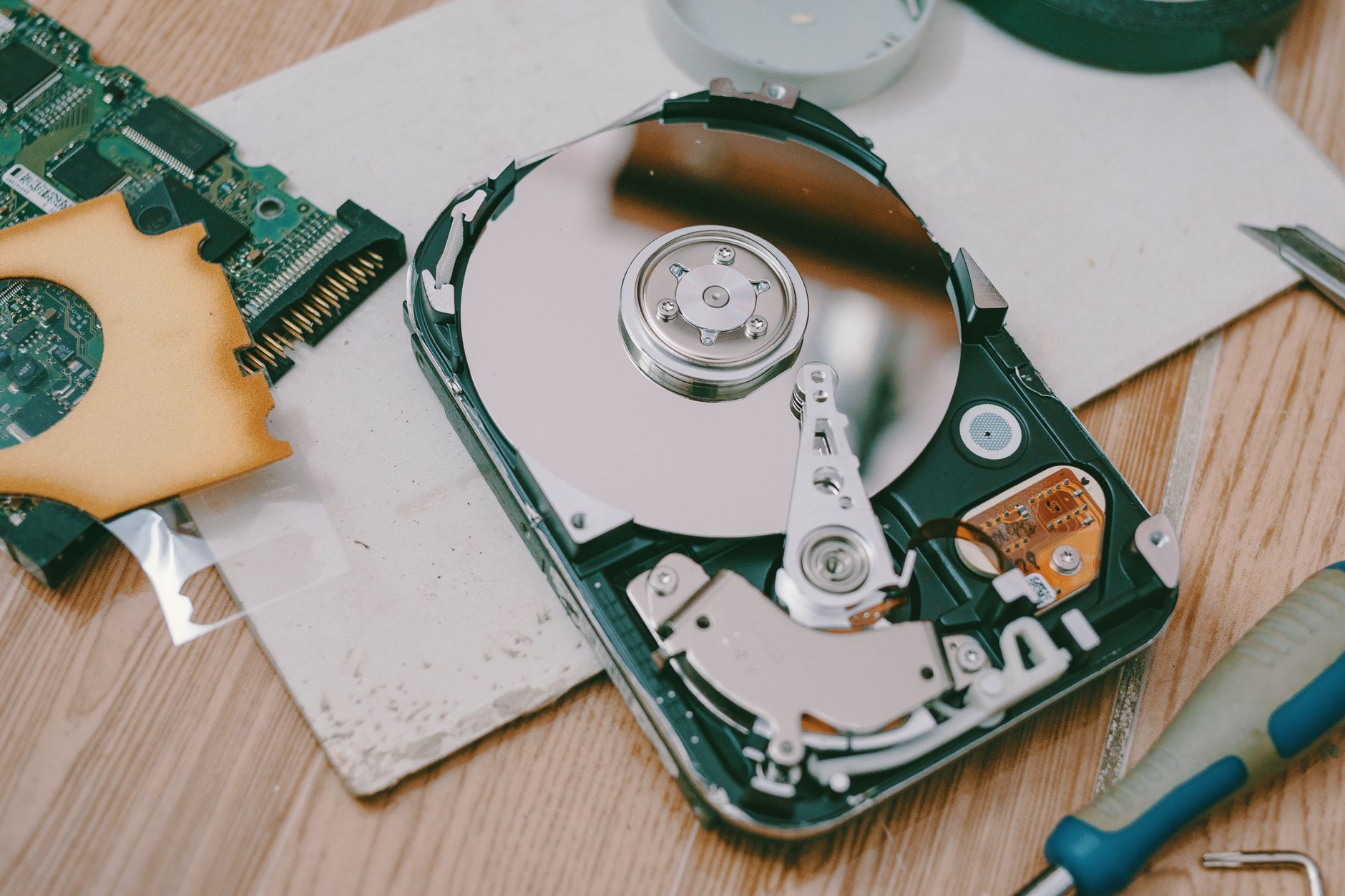
A dying laptop hard drive is one of the most misdiagnosed problems in home computing — people blame viruses, Windows updates, or just "it's getting old." The truth is, a failing hard drive has very specific symptoms, and if you know what you're looking for, you can catch it before it takes every photo, document, and password with it.
What Exactly Is a "Dying" Hard Drive?
A dying hard drive is a storage drive — either a traditional spinning HDD or a solid-state SSD — that is developing physical damage, bad sectors, or critical component failures. HDDs fail mechanically (the read/write head crashes, the platters degrade); SSDs fail electronically (cells wear out, the controller chip fails). Either way, the result is the same: data becomes unreadable, the laptop slows to a crawl, and eventually — nothing. On the Costa Blanca, we see this in laptops left in hot cars, holiday flats with dusty vents, and machines that are simply five or more years old and never checked.

Does a Clicking or Grinding Noise Mean My Hard Drive Is Failing?
Yes — and stop using the laptop immediately. A clicking or grinding sound from inside your laptop is called the "click of death," and it means the read/write head is failing to find its position on the spinning platter. This is a mechanical HDD problem, not an SSD one. Every extra second you run that drive, you risk scratching the platter surface and making professional data recovery impossible — or ten times more expensive.
Why Does My Laptop Take Forever to Boot Up?
Slow boot times are the number one symptom people ignore for months. When a hard drive develops bad sectors — areas of the disk that can no longer reliably store data — the drive has to "retry" reading those sectors repeatedly before Windows or macOS can load. What should take 30 seconds suddenly takes five minutes. If your laptop used to boot fast and now doesn't, and a virus scan comes back clean, your hard drive is the prime suspect.
Is It Normal for Files to Randomly Disappear or Get Corrupted?
Absolutely not normal — this is a red-alert symptom. If documents won't open, photos appear scrambled, or files you know you saved have simply vanished, your drive is failing to write and retain data reliably. Some people blame Windows, and yes, sometimes Windows is the culprit, but if it happens across multiple file types and locations, the drive is losing the plot. Back up everything you still can, right now, before reading the rest of this article.
What Does the Blue Screen of Death (BSOD) Have to Do With My Hard Drive?
BSODs caused by hard drive failure usually show error codes like CRITICAL_PROCESS_DIED, DISK_BOOT_FAILURE, or 0x0000007A (KERNEL_DATA_INPAGE_ERROR). These codes specifically mean Windows tried to read from the hard drive and got nothing back — or got corrupted data. Random BSODs that persist after a Windows reinstall almost always point to dying hardware, and the hard drive is the first thing we check.
Can I Use a Free Tool to Check if My Hard Drive Is Actually Failing?
Yes, and you should do this right now if you're worried. Download CrystalDiskInfo (Windows, free) or use Disk Utility on a Mac — both read your drive's built-in S.M.A.R.T. data, which is a self-monitoring system built into every modern drive. Look for a status of anything other than "Good" or "Caution" — any "Bad" result means the drive is failing. Pay specific attention to the Reallocated Sectors Count and Pending Sectors values; anything above zero is a warning you shouldn't ignore.

My Laptop Freezes for Several Seconds, Then Carries On — Is That the Hard Drive?
This "freeze and resume" pattern — where the laptop locks up completely for 5–30 seconds, then suddenly works again — is a classic hard drive symptom. The drive is struggling to read a sector, retrying, and finally either succeeding or skipping it. Most people assume it's RAM or a slow processor. It's almost always the drive. Run CrystalDiskInfo and check your S.M.A.R.T. data before spending money on anything else.
Does Heat Kill Hard Drives Faster?
Heat is one of the top three killers of hard drives, alongside physical shock and simple age. Spinning HDDs have a sweet spot of around 25–45°C — above that, the metal components expand slightly, tolerances tighten, and errors start to multiply. On the Costa Blanca, where laptops sit in hot cars, on sun-drenched terraces, or in poorly ventilated holiday apartments, we see heat-accelerated drive failure constantly. If your laptop runs hot and you've never cleaned the vents, you're cooking your drive alive.
Can a Laptop Hard Drive Fail Without Any Warning at All?
Yes — SSDs in particular are notorious for failing suddenly, with zero warning symptoms beforehand. One day everything's fine; the next morning the laptop won't boot and the drive isn't even detected. Spinning HDDs usually give you warning signs (clicks, slowdowns, errors), but SSDs can go from healthy to completely dead overnight. This is why "wait until something goes wrong" is the most dangerous strategy in computing. Regular backups aren't optional — they're the only insurance that actually pays out.
How Long Does a Laptop Hard Drive Actually Last?
Traditional spinning HDDs typically last 3–5 years under normal use; SSDs often last 5–10 years, depending on how much data is written to them over their lifetime. However, manufacturer quality, operating temperatures, and physical handling all drastically affect this. Any laptop over four years old with the original drive installed should be considered at risk — not necessarily failing, but worth checking. We've seen drives fail at 18 months and others limp along for 12 years. S.M.A.R.T. data tells you more than age alone.
If My Hard Drive Is Dying, Do I Lose All My Data?
Not necessarily — but the longer you wait, the worse it gets. If the drive is still partially readable, we can often clone the healthy sectors to a new drive before the old one fully dies, recovering most or all of your data in the process. Professional data recovery from a fully failed drive costs anywhere from €200 to over €1,000 — versus €60–120 to replace a drive before it fails completely. The maths are obvious. Come to us while the drive still spins, not after.
Still Not Sure If It's Really the Hard Drive?
If you've read through everything above and you're still second-guessing yourself, go back to the S.M.A.R.T. data question — that's the single most useful diagnostic step you can take at home, for free, right now. A CrystalDiskInfo result showing "Caution" or "Bad" removes all doubt. If you can't interpret what you're seeing, bring the laptop to us at Campoverde Repair and we'll read it for you — no charge for the diagnostic opinion.
Key Takeaways
- Clicking or grinding noises from a laptop are an emergency — shut it down and call a repair professional immediately to protect your data.
- Slow boot times and random freezes are the most commonly ignored early symptoms of a dying hard drive — don't blame Windows until you've checked the drive.
- CrystalDiskInfo (Windows) and Disk Utility (Mac) are free tools that read S.M.A.R.T. data and give you a clear health status for your drive — use them today.
- SSDs can fail with zero warning, while HDDs usually give you symptoms first — either way, a regular backup is the only real protection.
- Replacing a failing drive before it fully dies costs a fraction of professional data recovery — catching it early saves you money, stress, and lost files.
The question most people get wrong? They assume a "still working" laptop means the drive is fine. It doesn't. A drive can be weeks from total failure while Windows loads perfectly every morning. Check your S.M.A.R.T. data — or let us check it for you. That one step could save everything on your machine.
Frequently asked questions
What are the first signs of a failing laptop hard drive?
The most common early signs are unusually slow boot times, frequent freezing for several seconds before resuming, and files that won't open or appear corrupted. Running a free tool like CrystalDiskInfo to check your drive's S.M.A.R.T. status will confirm whether the drive is the cause.
Can I recover data from a dying hard drive before it completely fails?
Yes — if the drive is still partially readable, a technician can often clone the healthy data to a new drive and recover most or all of your files. Acting quickly is critical; the longer a failing drive keeps running, the less data can be saved.
How do I check if my hard drive is failing for free?
Download CrystalDiskInfo on Windows — it's free and reads your drive's built-in S.M.A.R.T. health data in seconds. On a Mac, open Disk Utility and run First Aid. Look for any status other than 'Good'; a 'Caution' or 'Bad' result means the drive needs immediate attention.
How long does a laptop hard drive last before it needs replacing?
Traditional spinning HDDs typically last 3–5 years, while SSDs often last 5–10 years under normal use. Heat, physical shocks, and heavy usage can shorten these lifespans significantly — any laptop over four years old with its original drive is worth checking with a S.M.A.R.T. diagnostic tool.
Is a clicking noise from my laptop always a sign of hard drive failure?
A repetitive clicking or grinding sound from inside a laptop — often called the 'click of death' — is a strong indicator of mechanical hard drive failure and should be treated as an emergency. You should power the laptop off immediately and consult a repair professional, as continued use risks permanent, unrecoverable data loss.