

How to Stop Your Windows Laptop Overheating on a Hot Spanish Summer Day
Your Laptop Was Never Built for a Costa Blanca Summer
Most Windows laptops are engineered for office environments sitting around 20–22°C. When you're working on a terrace in Orihuela Costa with 38°C of direct Mediterranean sun baking the lid, you're running a machine designed for a mild British office in conditions it was never tested for. Overheating is the number one cause of sudden laptop death we see here at Campoverde Repair — and almost all of it is preventable.
The opinion here is simple and non-negotiable: laptop overheating in summer is a maintenance problem first, a habit problem second, and a hardware problem last. Fix the first two and you'll rarely need to fix the third. Here's exactly how.
Dust Is Quietly Cooking Your Machine From the Inside
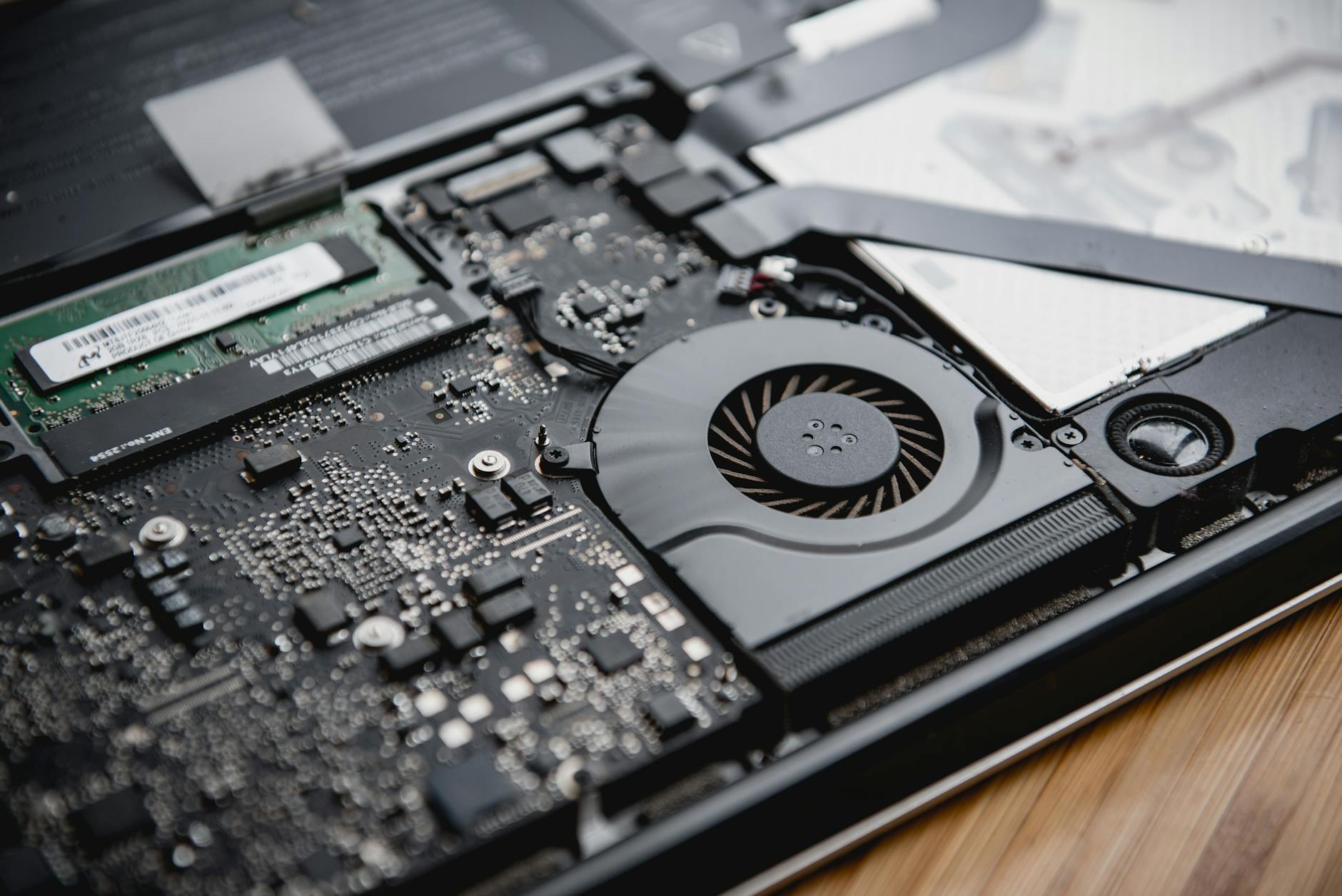
Every laptop has a heatsink and at least one fan. Over 12–18 months of use, that fan pulls in fine dust, pet hair, and the kind of chalky coastal grit that floats around the Costa Blanca and packs it into a dense felt blanket directly over the heatsink. The processor then can't shed heat. Temperatures that should sit at 60°C under load start hitting 90°C, then 95°C. At that point your laptop throttles — slows itself down to survive — and if it keeps climbing, it shuts off without warning.
We pull laptops apart every week that haven't been cleaned in three years. The dust mats we extract are sometimes 5mm thick. That's not negligence — most people simply don't know it needs doing.
- Clean your laptop's vents every 12 months minimum — every 6 months if you have pets or live near agricultural land.
- A can of compressed air into the exhaust vent (not the intake) shifts surface dust but won't clear a packed heatsink — that needs disassembly.
- If your laptop is running hot and it's over two years old, assume the heatsink is clogged until proven otherwise.
- Thermal paste on the CPU also dries out over time. Replacing it during a clean can drop idle temps by 10–15°C on older machines.
A professional internal clean at Campoverde Repair costs a fraction of what a new laptop costs. Do it before summer, not after your machine fries itself in July.
Where You Put the Laptop Matters More Than You Think
Beds, sofas, laps, and cushions are laptop killers. Every one of those soft surfaces blocks the bottom intake vents completely. Add 35°C ambient heat and you've created an oven. Laptops need airflow underneath — without it, even a perfectly clean machine will overheat inside 20 minutes of heavy use.
Beyond that, direct sunlight on a laptop screen or lid drives up the chassis temperature before the processor even starts working hard. Spanish summer sunlight is not the same as sitting near a window in Manchester. UV intensity here is in a completely different category.
- Always use your laptop on a hard, flat surface — a table, a desk, a tray. Always.
- Keep it out of direct sunlight. If you're working outside, position yourself so the laptop is in shade even if you aren't.
- A basic laptop cooling pad with USB-powered fans costs €15–25 and can drop operating temps by 8–12°C. On a 38°C day, that difference keeps you below the thermal throttle threshold.
- Never leave a laptop closed in a car in summer. Interior car temperatures in Spain regularly exceed 70°C. That destroys batteries and warps chassis components.
These aren't advanced tips. They're habits. The people who follow them are the ones who aren't calling us in August with a dead machine.

Windows Itself Is Working Against You — Unless You Tell It Otherwise
Windows 10 and 11 default to "Balanced" power mode, which sounds sensible but actually allows the CPU to spike to full speed (and full heat) for any minor task — a browser notification, a background update, an antivirus scan. In a cool room that's fine. On a hot summer day it's a problem, because those spikes push temps up and the ambient heat means they recover slowly.
There are also background processes that run silently and hammer the CPU when you're not looking: Windows Update delivering a massive patch, OneDrive syncing a folder of photos, your antivirus doing a full scheduled scan. Pick any of those coinciding with a hot afternoon and your machine will thermal-throttle during a video call.
- Switch to "Power Saver" mode during hot days when you're doing light work — browsing, email, video calls. It caps CPU performance and cuts heat generation significantly.
- Open Task Manager (Ctrl + Shift + Esc) and check what's using CPU. If something unexpected is eating 30–50%, kill it or schedule it for night-time.
- Set Windows Update and antivirus scans to run overnight when ambient temps are lower.
- If your browser has 20 tabs open plus a YouTube video running in the background — that's a CPU and heat problem, not a laptop problem. Close what you're not using.
The Counter-Argument: "My Laptop Just Can't Handle the Heat — I Need a New One"
Fair enough — sometimes that's actually true. Budget laptops built with thin copper heatsinks and single undersized fans have genuine thermal limits. Ultrabooks designed to be 14mm thin have compromised cooling by definition. If you're running video editing software or gaming on a machine that cost €350 three years ago, the hardware may genuinely be at its ceiling regardless of how clean it is or where you put it.
But here's the honest answer: in about 80% of the overheating cases we diagnose here on the Costa Blanca, the machine is fixable. A proper internal clean, fresh thermal paste, adjusted power settings, and a €20 cooling pad resolve the problem without spending €700 on a replacement. We've rescued machines that the owner was convinced were dead — because the dust mat blocking the heatsink was so thick the fan couldn't move air at all.
The remaining 20%? Yes, some laptops are genuinely end-of-life. We'll tell you that honestly rather than charge you for repairs that won't last. But exhaust the cheap options first.
The Bottom Line: Heat Is Manageable — Neglect Is What Kills Laptops
Spanish summers are extreme by Northern European laptop standards. That's just the reality of living here, and it's one of the reasons we're busy from June through September. But overheating is almost never a sudden random failure — it's the end result of months of clogged vents, bad habits, and Windows doing whatever it wants in the background.
Clean the machine. Use it on hard surfaces. Get a cheap cooling pad. Tell Windows to calm down. Those four things, done consistently, will keep most laptops running through even an August heatwave in Torrevieja. If you've already hit the wall and your machine is throttling, shutting off, or running so hot you can't touch the bottom — bring it in. We'll diagnose it the same day and give you a straight answer on whether it's worth fixing.
Key Takeaways
- Dust is the primary cause of overheating — get your laptop cleaned internally every 12 months, more often if you have pets or live near the countryside.
- Never use a laptop on soft surfaces — beds, sofas, and cushions block intake vents and cause thermal shutdown within minutes on a hot day.
- A €15–25 cooling pad can drop operating temps by up to 12°C, which is often the difference between stable performance and thermal throttling.
- Switch to Power Saver mode in summer and schedule Windows Update and antivirus scans for overnight hours.
- Most overheating laptops are repairable, not disposable — diagnose before you spend €700 on a replacement you may not need.
Frequently asked questions
Why does my laptop keep shutting off in hot weather?
Your laptop is hitting its thermal limit and shutting down to protect the processor from permanent damage. The most common causes are clogged cooling vents full of dust, using the laptop on soft surfaces that block airflow, or running CPU-heavy background processes in high ambient temperatures. A professional internal clean and adjusted power settings resolve this in the majority of cases.
What temperature is too hot for a laptop to operate safely?
Most laptop CPUs are designed to operate up to around 95–100°C before triggering an emergency shutdown. However, sustained temperatures above 85°C cause long-term damage to processors, batteries, and solder joints. Ideally, your CPU should stay below 80°C under load — if it's regularly exceeding that, your cooling system needs attention.
Does a laptop cooling pad actually make a difference?
Yes — a decent USB-powered cooling pad can reduce operating temperatures by 8–12°C, which is significant when ambient temperatures are already high. On a 35–38°C summer day in Spain, that reduction can be the difference between stable performance and thermal throttling. They cost €15–25 and are one of the most cost-effective laptop accessories you can buy.
How often should I get my laptop cleaned to prevent overheating?
Every 12 months is the minimum for most users. If you have pets, live near agricultural land, or use the laptop heavily in dusty environments, every 6 months is more appropriate. An internal clean involves disassembling the laptop, removing dust from the heatsink and fan, and usually replacing the thermal paste on the CPU — this can drop temperatures by 10–15°C on machines over two years old.
Can I fix laptop overheating myself or do I need a technician?
Basic steps like switching to Power Saver mode, closing background apps, and using a cooling pad are easy DIY fixes anyone can do. However, internal cleaning requires disassembling the laptop, which risks damaging components if you're not experienced — particularly on modern thin-and-light designs with fragile ribbon cables. For anything beyond surface-level vent cleaning with compressed air, a technician is the safer and often cheaper option in the long run.
Computer trouble on the Costa Blanca?
30+ years of repair experience — on-site within 30 km and remote worldwide. Tell me what's wrong and I'll sort it.
Get help now →Photos via Pexels