
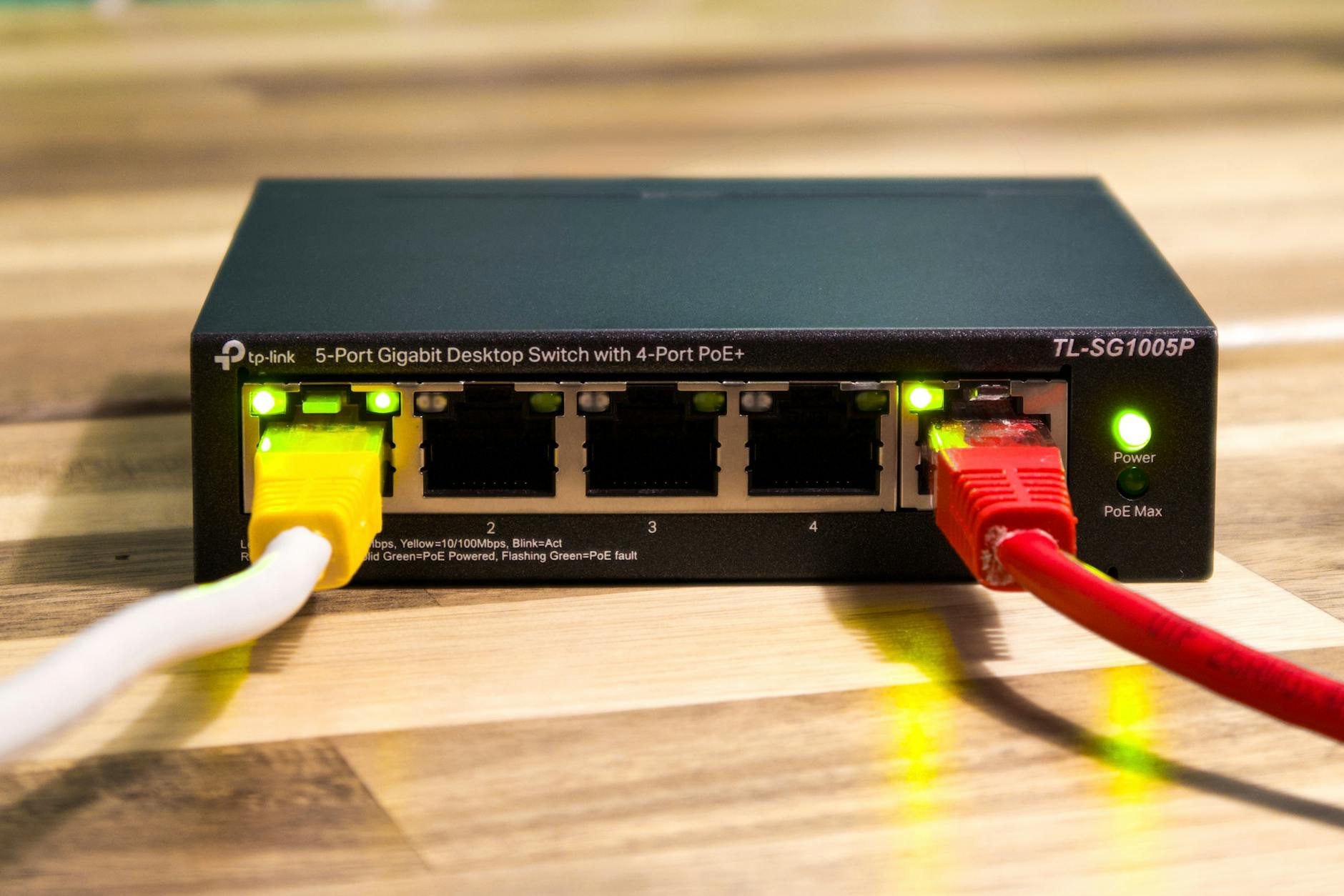
Slow Wi-Fi is the silent killer of remote work, Netflix nights, and video calls with family back home — and on the Costa Blanca, it's one of the most common complaints we hear at Campoverde Repair. The good news: most slow home Wi-Fi problems come down to 7 fixable causes, and you don't need an engineer or a €200 call-out fee to sort them.
This list is for anyone living in Spain — expats in urbanisations, locals in town houses, people stuck on Movistar, Vodafone, or Orange — who's tired of buffering, dropped calls, and pages that load like it's 2003. Work through these fixes in order. Most cost nothing.
The 7 Best Ways to Speed Up Slow Wi-Fi at Home in Spain
1. Reboot Your Router the Right Way — Not Just the Power Button
Most people "restart" their router by flicking the power switch off and on in five seconds. That doesn't flush the memory or clear the connection state — it just rattles the router awake in a bad mood. Unplug it from the wall completely, wait a full 60 seconds, then plug it back in. A proper cold reboot forces a fresh connection to your ISP and can double speeds if your router has been running for weeks without a reset.
Concrete detail: Do this once a week. Set a phone reminder. You'll be amazed how often this alone fixes the problem.
2. Move Your Router — Walls and Floors Are Wi-Fi Killers
Spanish homes are often built with thick concrete and ceramic tile walls that absolutely destroy Wi-Fi signal. If your router is sitting inside a cupboard, in a back bedroom, or on the floor near the TV stand, you're throwing away half your speed before a single device even connects. Place it as high and as central as possible — on a bookshelf in the main living area, away from microwaves, cordless phones, and baby monitors.
Concrete detail: Every concrete wall your signal passes through can reduce speed by up to 50%. Two walls between your router and your laptop? You could be running at 25% of what you're paying for.

3. Switch Your Wi-Fi Band from 2.4GHz to 5GHz — More Speed, Less Congestion
Modern routers broadcast on two frequencies: 2.4GHz and 5GHz. Most devices connect to 2.4GHz by default because it has better range — but in an urbanisation or apartment block, every neighbour's router is also on 2.4GHz, and they're all fighting over the same channels. Switching to 5GHz gives you faster speeds (often 3–4× faster) with far less interference, as long as you're within 10–15 metres of your router.
Concrete detail: On your phone or laptop, look for your Wi-Fi network name followed by "_5G" or "5GHz" and connect to that. If you don't see it, log into your router settings and enable it — we can walk you through this in minutes.
4. Change Your Wi-Fi Channel — Your Neighbours Are Slowing You Down
Even if you're already on 5GHz, your router may be on the same channel as three other routers in your building. Wi-Fi channels are like lanes on a motorway — if everyone's in lane 3, nobody moves fast. Download a free app like WiFi Analyzer (Android) or use the built-in Wireless Diagnostics on a Mac to see which channels are congested in your area, then log into your router and manually switch to the emptiest one.
Concrete detail: On 2.4GHz, channels 1, 6, and 11 are the only ones that don't overlap. On 5GHz, channels 36, 40, 44, and 48 are a safe bet and usually quiet in residential areas of Spain.
5. Ditch the Wi-Fi Extenders — Get a Mesh System Instead
Plugging in a cheap Wi-Fi extender from the Chinese bazaar seems like an easy win, but most of them cut your bandwidth in half because they relay the signal on the same radio they receive it on. If you have a large villa, a two-storey house, or thick internal walls, a proper mesh Wi-Fi system (TP-Link Deco, ASUS ZenWiFi, or even the entry-level Eero) blankets your whole home in fast, seamless coverage without the speed penalty.
Concrete detail: A two-node mesh system starts at around €80–€100 and will outperform any €25 extender you've been fighting with. This is one of the best upgrades you can make to a Spanish holiday home or large urbanisation property.

6. Kick Bandwidth Hogs Off Your Network — Someone Else Is Eating Your Speed
Smart TVs streaming 4K in another room, a Ring doorbell camera running 24/7, a teenager downloading games at 3pm — all of these can saturate a standard home connection. Log into your router's admin panel (usually 192.168.1.1 or 192.168.0.1 in a browser) and check how many devices are connected. Most modern routers let you set bandwidth limits per device or schedule download times so your video calls don't compete with someone else's background updates.
Concrete detail: A standard Movistar Fusión connection in Spain tops out at 600Mbps shared across all devices. One person streaming 4K Netflix (25Mbps) plus two gaming consoles downloading updates (up to 100Mbps each) can drag your usable speed below 50Mbps before you've even opened a browser.
7. Call Your ISP and Demand a Line Test — You May Be Getting Ripped Off
Spanish ISPs — Movistar, Orange, Vodafone, Jazztel — are legally required to deliver the speed you're paying for, or at least 70% of it during peak hours under CNMC regulations. If you're consistently getting less than that, you have the right to demand a free line test and, if they can't fix it, cancel your contract without penalty. Run a speed test at fast.com or speedtest.net three times a day for a week and screenshot the results before you call.
Concrete detail: We've seen clients in Orihuela Costa paying for 300Mbps and consistently getting 18Mbps. One documented complaint to Movistar got them a free router upgrade and a technician visit within 72 hours. Know your rights — the ISP counts on you not checking.
How We Chose These Fixes (And How to Pick the Right One for You)
These aren't guesses lifted from a generic tech blog. Every fix on this list comes from real jobs we've done for real clients across the Costa Blanca — expats in villas, local families in town houses, businesses running on residential connections. We prioritised solutions by cost (free first, paid last), by how often they actually work in Spanish homes specifically, and by how quickly you can implement them without needing any technical background.
If you're in a flat or terraced house with neighbours on all sides, start with fixes 3 and 4 (band and channel switching) — interference is almost certainly your main enemy. If you're in a large detached villa or a multi-storey property, fix 5 (mesh system) will have the biggest impact. If you've tried everything and speeds are still terrible, fix 7 (calling your ISP with evidence) is non-negotiable.
Key Takeaways
- A proper 60-second router reboot — not a quick power cycle — is the fastest free fix and should be done weekly.
- Router placement matters more than most people realise: central, high, and away from walls and interference sources is the rule.
- Switching to 5GHz and changing your Wi-Fi channel can dramatically cut interference from neighbours — especially critical in Spanish urbanisations.
- Cheap Wi-Fi extenders make things worse in large homes; a mesh system is the correct solution and starts at around €80.
- Spanish ISPs are legally obligated to deliver near your contracted speed — document your results and use consumer law if they don't.
Bottom line: For the most common situation — an expat or local family in a Costa Blanca home with thick walls, multiple devices, and a congested neighbourhood network — the single best starting point is switching to 5GHz, repositioning your router, and doing a weekly reboot. Do those three things today and you'll see a difference before dinner. If you're still struggling after that, give us a call at Campoverde Repair — we'll find the problem and fix it, no guesswork, no drama.
Frequently asked questions
Why is my Wi-Fi so slow in Spain even though I'm paying for fast broadband?
Spanish ISPs are required by law to deliver at least 70% of your contracted speed during peak hours, but many residential lines underperform due to old infrastructure, congested nodes, or a faulty router. Run a speed test at speedtest.net three times a day for a week, screenshot the results, and contact your ISP — you can demand a free line test and, if they can't fix it, exit your contract without penalty.
What is the best Wi-Fi channel to use in Spain to avoid interference?
On the 2.4GHz band, channels 1, 6, and 11 are the only non-overlapping options — use a free app like WiFi Analyzer to see which is least congested in your area. On the 5GHz band, channels 36–48 are generally quiet in Spanish residential areas and offer much less competition from neighbouring routers.
Does a Wi-Fi extender really slow down my internet?
Yes — most cheap single-band Wi-Fi extenders cut your throughput by roughly 50% because they use the same radio to receive and retransmit the signal. If you need coverage across a large home or villa in Spain, a mesh Wi-Fi system (like TP-Link Deco or ASUS ZenWiFi) is the correct solution and starts at around €80–€100.
How do I log into my router settings in Spain to change the Wi-Fi channel?
Type 192.168.1.1 or 192.168.0.1 into your browser's address bar — one of those will open your router's admin panel. The default username and password are usually printed on a sticker on the bottom of the router; for Movistar routers it's often 1234 or admin/admin. If you can't get in, Campoverde Repair can do it remotely for you.
Can I cancel my Spanish internet contract if the speed is too slow?
Yes — under CNMC regulations in Spain, if your ISP cannot consistently deliver at least 70% of your advertised speed, you have grounds to file a complaint and potentially cancel your contract without a penalty fee. Document your speeds with regular screenshots from speedtest.net before contacting your provider, as evidence is essential.