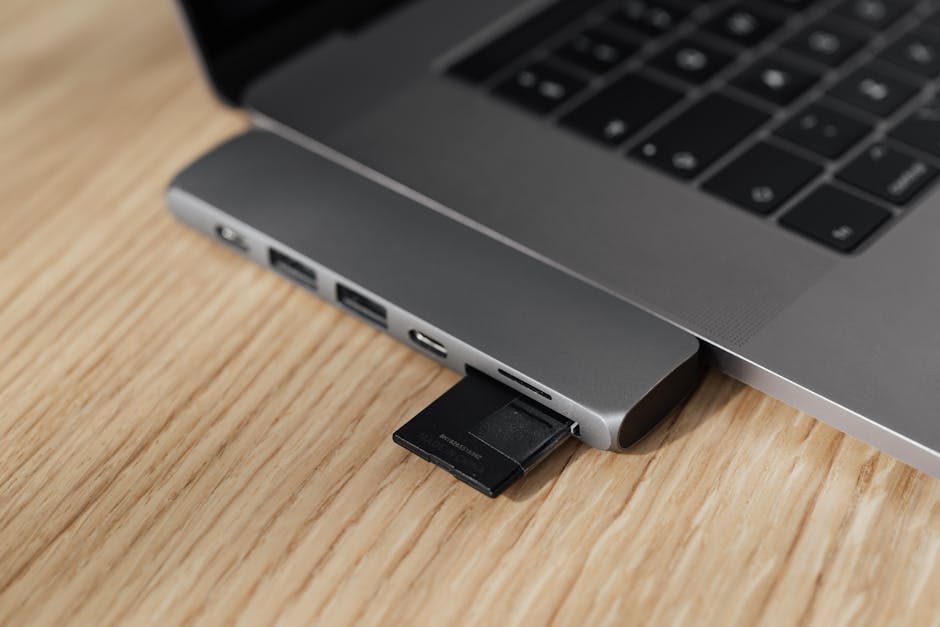
You need to sign a document, file your taxes or access a Spanish government website — and your PC flatly refuses to see your DNI or NIE card. The clock is ticking, and the error message tells you nothing useful. You're not alone; this is one of the most common frustrations for residents and expats on the Costa Blanca.
The good news: in most cases the fix is software, not hardware. Work through the steps below in order and you'll sort it without needing to call anyone.
Why Windows Doesn't Recognise the Card
Spanish electronic ID cards (DNIe / DNI 4.0 and NIE with chip) are smart cards. Windows needs three things to work with them:
The correct driver for your card reader hardware.
The official DNIe middleware from the Spanish Police (Policía Nacional).
A compatible browser with the right certificates installed.
If any one of these is missing, out of date, or clashing, the card simply isn't seen — or it's seen but rejected. Let's fix each in turn.
Step 1 — Check the Reader in Device Manager
Press Windows + X, choose Device Manager, and look under Smart card readers. If your reader appears with a yellow warning triangle, the driver is the problem. If it doesn't appear at all, try a different USB port, then check again.
Right-click the reader entry and choose Update driver → Search automatically. If Windows finds nothing useful, visit your reader manufacturer's website (common brands: Bit4id, SCM Microsystems, Gemalto) and download the latest driver manually.
Step 2 — Install the Official DNIe Software
This is the step most people skip, and it's almost always the root cause. The Spanish National Police provides free middleware that Windows needs to communicate with the chip on your card.
Go to sede.agenciatributaria.gob.es or search "DNIe software descarga" — you want the official Policía Nacional page.
Download the installer for Windows (it's called something like instalador_nss_dni or autofirma depending on what you need).
For general DNIe access: install the DNIe driver package from the official site.
For signing documents and tax filings: also install AutoFirma, the government's free signing application.
Restart Windows after installing — this matters, don't skip it.
If you're using the Certificado Digital (FNMT) rather than your physical card, the process is slightly different — you only need AutoFirma and your certificate file (.p12). But the DNIe physical card always needs the middleware.
Step 3 — Use the Right Browser
Not every browser plays nicely with smart cards. As of 2024–2025:
Browser
Works with DNIe?
Notes
Internet Explorer / Edge (IE mode)
Yes
Legacy — avoid if possible
Mozilla Firefox
Yes
Best option — configure security device (see below)
Google Chrome
Partial
Needs AutoFirma running in background
Microsoft Edge (modern)
Partial
May work with Windows certificate store
Firefox setup: Go to Settings → Privacy & Security → Security Devices. Click Load and navigate to the DNIe module file (usually C:\Windows\System32\UsrPKCS11.dll or the path shown in the DNIe software). Load it, restart Firefox, and try again.
Step 4 — Check the Card Itself
If the steps above don't solve it, remove the card and look at the chip (the gold contact on the front). If it's dirty, give it a gentle wipe with a dry cloth. Insert it gently — some readers are fussy about which way the chip faces.
Also worth checking: your DNI or NIE card has an expiry date on the chip certificate that is different from the card's physical expiry. A card that looks valid can have an expired digital certificate. You can renew the chip certificate for free at any police commissariat (comisaría) with a fingerprint reader — no appointment needed in most cases.
Step 5 — Still Not Working? Try This
Uninstall all DNIe-related software, restart, and reinstall from scratch.
Check Windows is fully updated — some smart card features depend on recent Windows patches.
Try the card on another PC if you can. If it works there, the issue is your PC's configuration. If it fails everywhere, the chip may be damaged or the certificate expired.
Run AutoFirma's built-in diagnostic tool — it checks your setup and flags missing components.
We've helped dozens of local residents and expats through exactly this problem. If you've worked through every step and it's still not behaving, it might be something deeper — a corrupted Windows profile, a conflicting security application, or a damaged reader. That's when it's worth popping in or sending us a message. You can also read our guide on five warning signs your laptop needs a repair to spot whether something bigger is going on with your PC.
Quick Reference: Files and Links
DNIe middleware & driver: dnielectronico.es
AutoFirma: search "AutoFirma descarga" on the official FNMT or MPTFP site
FNMT certificate: sede.fnmt.es
Certificate renewal (chip): your nearest comisaría de policía with DNIe reader
FAQ
Why does my DNI card reader show in Device Manager but still not work?
The reader hardware is recognised, but the DNIe middleware software is missing or not installed correctly. Install the official driver package from dnielectronico.es, restart Windows, and configure your browser's security device settings.
Does my Spanish NIE card work the same way as a DNI for card readers?
NIE cards with a chip (the green credit-card format) use the same reader and middleware as a DNIe. Older paper or laminated NIEs have no chip and cannot be used digitally — you'd need a Certificado Digital (FNMT) instead.
Which browser works best with the Spanish DNI card reader on Windows?
Mozilla Firefox is consistently the most reliable choice. You need to load the DNIe PKCS#11 module in Firefox's security device settings. Chrome can work but requires AutoFirma running in the background.
My DNI hasn't expired but the website says the certificate is invalid — why?
The digital certificate stored on the chip has a separate expiry, usually 5 years from the last renewal. Even if the card looks valid, the chip certificate can be out of date. Visit any police commissariat (comisaría) with a DNIe terminal to renew it for free — it takes about five minutes.
Tienes que presentar la declaración, firmar un contrato o acceder a la sede electrónica y el ordenador hace como si tu DNI electrónico o tu tarjeta NIE no existieran. El lector no responde, el navegador da un error incomprensible y el plazo se acerca. Es uno de los problemas más habituales que vemos en la Costa Blanca, tanto entre residentes españoles como entre extranjeros con NIE.
La buena noticia es que en la mayoría de los casos el fallo es de software, no de hardware. Sigue estos pasos en orden y en unos minutos lo tendrás funcionando.
Por qué Windows no reconoce la tarjeta
El DNIe (incluido el DNI 4.0) y las tarjetas NIE con chip son tarjetas inteligentes (smart cards). Para que Windows pueda utilizarlas hacen falta tres cosas:
El driver correcto del lector de tarjetas.
El middleware oficial del DNI electrónico de la Policía Nacional.
Un navegador compatible correctamente configurado.
Si falla cualquiera de estos tres elementos, la tarjeta no se detecta o se detecta pero se rechaza. Vamos a resolverlos uno a uno.
Paso 1 — Comprueba el lector en el Administrador de dispositivos
Pulsa Windows + X y selecciona Administrador de dispositivos. Busca la sección Lectores de tarjeta inteligente. Si el lector aparece con un triángulo amarillo de advertencia, el problema es el driver. Si no aparece en absoluto, prueba con otro puerto USB y vuelve a comprobarlo.
Haz clic con el botón derecho sobre el lector y elige Actualizar controlador → Buscar automáticamente. Si Windows no encuentra nada útil, ve a la web del fabricante del lector (los más comunes son Bit4id, SCM Microsystems y Gemalto) y descarga el driver manualmente.
Paso 2 — Instala el software oficial del DNIe
Este es el paso que casi todo el mundo se salta, y suele ser la causa raíz del problema. La Policía Nacional pone a disposición de forma gratuita el middleware que necesita Windows para comunicarse con el chip de la tarjeta.
Entra en dnielectronico.es (web oficial de la Policía Nacional) o busca "software DNIe descargas".
Descarga el paquete de instalación para Windows.
Para trámites generales con el DNIe: instala el paquete de drivers del DNI electrónico.
Para firmar documentos y presentar declaraciones: instala también AutoFirma, la aplicación gratuita del Gobierno.
Reinicia Windows después de instalar — no te lo saltes, es imprescindible.
Si lo que tienes es un Certificado Digital de la FNMT (el archivo .p12) en lugar de la tarjeta física, el proceso es algo diferente: solo necesitas AutoFirma y tu certificado importado en el navegador. Pero para el DNIe físico siempre hace falta el middleware.
Paso 3 — Usa el navegador adecuado
No todos los navegadores funcionan igual de bien con las tarjetas inteligentes. A fecha de 2024–2025:
Navegador
¿Compatible con DNIe?
Notas
Internet Explorer / Edge (modo IE)
Sí
Obsoleto — evitar si es posible
Mozilla Firefox
Sí
La mejor opción — configurar módulo de seguridad
Google Chrome
Parcial
Requiere AutoFirma en segundo plano
Microsoft Edge (moderno)
Parcial
Puede funcionar con el almacén de certificados de Windows
Configuración en Firefox: Ve a Ajustes → Privacidad y seguridad → Dispositivos de seguridad. Haz clic en Cargar y navega hasta el archivo del módulo DNIe (normalmente en C:\Windows\System32\UsrPKCS11.dll o la ruta que indique el propio software del DNIe). Cárgalo, reinicia Firefox y prueba de nuevo.
Paso 4 — Revisa la tarjeta en sí
Si los pasos anteriores no resuelven el problema, saca la tarjeta y mira el chip (el contacto dorado en la parte delantera). Si está sucio, pásale un paño seco con suavidad. Introdúcela con cuidado — algunos lectores son exigentes con la orientación del chip.
Atención a esto: el certificado digital del chip del DNI o NIE tiene una fecha de caducidad propia, distinta a la caducidad física de la tarjeta. Una tarjeta que visualmente está en vigor puede tener el certificado electrónico caducado. Se puede renovar de forma gratuita en cualquier comisaría de Policía Nacional con lector de DNIe — sin cita previa en la mayoría de los casos, y tarda apenas cinco minutos.
Paso 5 — ¿Sigue sin funcionar? Prueba esto
Desinstala todo el software relacionado con el DNIe, reinicia y vuelve a instalarlo desde cero.
Comprueba que Windows esté completamente actualizado — algunas funciones de tarjeta inteligente dependen de parches recientes.
Prueba la tarjeta en otro ordenador si puedes. Si ahí funciona, el problema es la configuración de tu PC. Si falla en todos los equipos, puede que el chip esté dañado o el certificado caducado.
Ejecuta la herramienta de diagnóstico integrada en AutoFirma — detecta componentes que faltan y problemas de configuración.
Hemos ayudado a muchos residentes y expatriados de la zona con exactamente este problema. Si has seguido todos los pasos y sigue sin funcionar, puede haber algo más profundo: un perfil de Windows dañado, un antivirus que bloquea el lector o un lector defectuoso. En ese caso, tráelo o escríbenos un mensaje. Y si tu PC está dando más de un problema, échale un vistazo a nuestra guía sobre los cinco señales de que tu portátil necesita una reparación.
Referencia rápida: archivos y enlaces
Middleware y driver DNIe: dnielectronico.es
AutoFirma: busca "AutoFirma descarga" en la web oficial del FNMT o del Ministerio
Certificado FNMT: sede.fnmt.es
Renovación del certificado del chip: comisaría de Policía Nacional más cercana con lector DNIe
Preguntas frecuentes
¿Por qué el lector aparece en el Administrador de dispositivos pero la tarjeta sigue sin funcionar?
El hardware del lector está reconocido, pero falta el middleware del DNIe o no está correctamente instalado. Instala el paquete oficial desde dnielectronico.es, reinicia Windows y configura el módulo de seguridad en tu navegador.
¿La tarjeta NIE funciona igual que el DNI en el lector?
Las tarjetas NIE en formato tarjeta de crédito con chip (el modelo verde) utilizan el mismo lector y el mismo middleware que el DNIe. Los NIE antiguos en papel o plastificados no tienen chip y no se pueden usar de forma digital — en ese caso necesitas un Certificado Digital de la FNMT.
¿Qué navegador va mejor con el lector de DNIe en Windows?
Mozilla Firefox es la opción más fiable. Tienes que cargar el módulo PKCS#11 del DNIe en la sección de dispositivos de seguridad de Firefox. Chrome también puede funcionar, pero necesita tener AutoFirma ejecutándose en segundo plano.
Mi DNI no ha caducado pero la web dice que el certificado no es válido, ¿por qué?
El certificado digital almacenado en el chip tiene su propia fecha de caducidad, independiente de la de la tarjeta, normalmente cada 5 años desde la última renovación. Acude a cualquier comisaría de Policía Nacional con terminal DNIe para renovarlo gratis — el trámite dura unos cinco minutos y no suele requerir cita.
Computer trouble on the Costa Blanca?
30+ years of repair experience — on-site within 30 km and remote worldwide. Tell me what's wrong and I'll sort it.